
 By
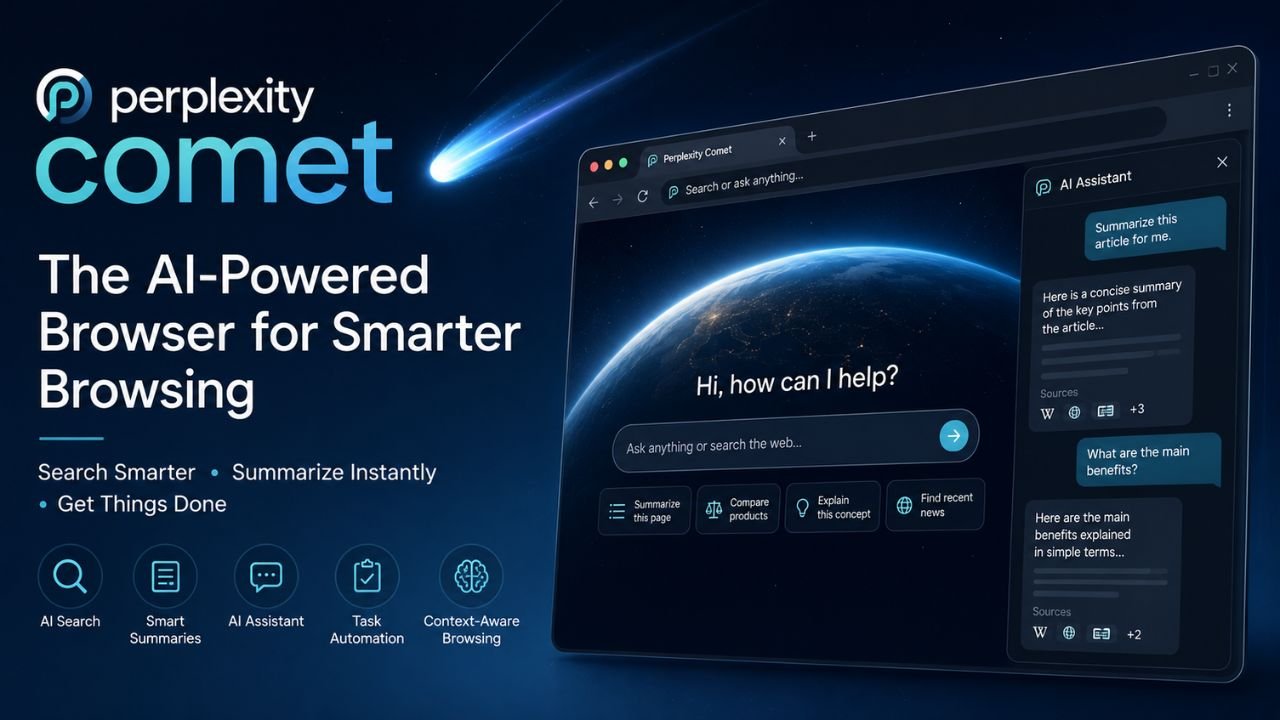
By Artificial intelligence is rapidly changing how people search, browse, and interact with the internet. Traditional web browsers are no longer limited to displaying websites they are beginning to integrate AI assistants capable of summarizing pages, answering questions, organizing information, and completing tasks. One of the most talked-about developments in this space is Perplexity Comet, an AI-powered browser introduced by Perplexity.
Built around AI-first browsing, Perplexity Comet aims to reduce the time users spend switching between tabs, searching through multiple websites, and manually gathering information. Instead, it combines web browsing with an intelligent assistant that understands context, provides instant summaries, and helps users complete online tasks more efficiently.
Whether you’re a student, developer, researcher, business professional, or everyday internet user, understanding what Perplexity offers can help you decide whether it’s worth trying. In this guide, we’ll explore its features, how it works, expected pricing, availability, advantages, limitations, and how it compares with traditional browsers.
Also read: Manus AI | X Android App Rebuilt in 2026 | Browser Use AI
What Is a Perplexity Comet?
Perplexity Comet is an AI-powered web browser developed by Perplexity with the goal of making web browsing more intelligent, conversational, and productivity-focused. Rather than functioning as a standard browser, it integrates AI directly into the browsing experience, enabling users to ask questions, summarize webpages, compare information, and receive contextual assistance without relying on multiple browser extensions.
Unlike conventional browsers that require users to open numerous tabs and manually analyze information, Perplexity Browser attempts to simplify the process by allowing AI to perform much of the research, organization, and information retrieval.
The browser is designed to combine several capabilities into one platform:
- AI-powered search
- Context-aware assistance
- Real-time webpage summaries
- Task automation
- Intelligent browsing recommendations
- Multi-step research support
These features position Perplexity Comet as more than a browser it serves as an AI productivity tool integrated into everyday web use.
Why Is Perplexity Comet Getting So Much Attention?
Several factors have contributed to the growing interest in the Perplexity Comet.
1. AI-First Browsing
Instead of adding AI through extensions or third-party services, Perplexity Browser places AI at the center of the browsing experience.
2. Faster Research
Researchers, students, journalists, and professionals often spend hours collecting information from different websites. Perplexity Comet aims to reduce this workload by summarizing relevant content instantly.
3. Better Productivity
Rather than copying information into AI chatbots, users can interact with web pages directly while browsing.
4. Intelligent Context
Unlike ordinary search engines, Perplexity Browser is designed to remember the context of ongoing tasks, making follow-up questions more efficient.
Key Features of Perplexity Comet
One reason Perplexity Comet is attracting attention is its collection of AI-powered features designed to streamline online work.
AI Search Integration
Instead of simply displaying search results, Perplexity Comet provides AI-generated answers supported by web sources.
Users can ask natural-language questions such as:
- Explain quantum computing simply.
- Compare two smartphones.
- Summarize today’s technology news.
- Find reliable research papers.
This conversational approach reduces the need to open dozens of search results.
Smart Webpage Summaries
Long articles can consume significant time.
With Perplexity Browser, users can quickly generate concise summaries highlighting the most important information.
This feature is useful for:
- Research papers
- News articles
- Technical documentation
- Product reviews
- Educational resources
AI Assistant While Browsing
Unlike standard browsers where AI tools require separate tabs, Perplexity Comet integrates an assistant directly into the browsing experience.
Users can ask:
- What does this paragraph mean?
- Explain this chart.
- Translate this page.
- Compare these products.
- Simplify technical terms.
The AI responds without forcing users to leave the webpage.
Context-Aware Conversations
Another advantage of Perplexity Comet is contextual memory during browsing sessions.
Instead of repeating information every time, users can continue asking follow-up questions naturally.
For example:
User:
Explain artificial intelligence.
Follow-up:
How does it differ from machine learning?
Then:
Can you provide real-world examples?
The browser understands previous questions, creating smoother conversations.
Multiple Source Verification
One challenge with AI-generated content is accuracy.
Perplexity Comet attempts to improve reliability by referencing multiple online sources when generating responses.
Instead of relying on a single webpage, it gathers information from several trusted sources whenever possible.
Research Assistance
Students and professionals often collect information from many websites.
Perplexity Comet helps organize research by:
- Summarizing sources
- Comparing viewpoints
- Highlighting important facts
- Answering follow-up questions
- Reducing repetitive searching
Writing Assistance
Another useful capability of Perplexity Comet is helping users improve written content.
Potential use cases include:
- Drafting emails
- Rewriting paragraphs
- Correcting grammar
- Creating outlines
- Improving clarity
- Summarizing documents
Productivity Tools
The browser also focuses on improving productivity by minimizing repetitive browsing tasks.
Examples include:
- Organizing information
- Saving research
- Managing browsing sessions
- Generating summaries
- Simplifying workflows
How Does Perplexity Comet Work?
Although Perplexity Comet behaves like a normal web browser, AI remains active throughout the browsing experience.
The general workflow looks like this:
Step 1
Open the browser.
Step 2
Visit any webpage.
Step 3
Ask questions about the content.
Step 4
Receive AI-generated explanations.
Step 5
Continue asking follow-up questions.
Step 6
Generate summaries or compare information.
Everything happens within the browser instead of switching between multiple applications.
Who Should Use a Perplexity Comet?
The browser is suitable for many different users.
- Students: Students can summarize textbooks, understand difficult concepts, and simplify research.
- Researchers: Researchers can compare multiple sources and organize findings more efficiently.
- Content Writers: Writers can gather information faster, summarize sources, and brainstorm ideas.
- Developers: Developers may use Perplexity Comet to understand documentation, compare frameworks, and troubleshoot coding issues.
- Business Professionals: Professionals can quickly research competitors, prepare reports, summarize industry news, and improve productivity.
- Everyday Internet Users: Even casual users can benefit from AI-assisted browsing for shopping, travel planning, learning, and everyday searches.
Benefits of Using Perplexity Comet
Some of the biggest advantages include:
- Faster research
- AI-powered answers
- Reduced tab overload
- Better productivity
- Context-aware browsing
- Smart webpage summaries
- Simplified learning
- Easier comparison of information
- Integrated AI assistance
- Improved workflow efficiency
Is Perplexity Comet Better Than Traditional Browsers?
Traditional browsers primarily focus on displaying websites.
Perplexity Browser, however, attempts to become an intelligent browsing assistant.
Instead of manually reading dozens of pages, users can ask AI to summarize information, explain concepts, compare products, or answer questions while remaining on the same webpage.
For users who spend hours researching online, this integrated approach could significantly improve efficiency.
Perplexity Comet vs Chrome
Many users are wondering whether Perplexity Comet can replace Google Chrome. While both are web browsers, they focus on different experiences.
| Feature | Perplexity Comet | Google Chrome |
| AI Built-In | Yes | Limited (requires additional AI features or extensions) |
| Web Search | AI-powered conversational search | Traditional search engine browsing |
| Webpage Summaries | Yes | No native feature |
| Context-Aware AI | Yes | Limited |
| Productivity Tools | Integrated | Extension-based |
| Browser Extensions | Expected support | Extensive library |
| Research Assistance | Advanced | Manual |
Chrome remains an excellent browser for general users, but Perplexity Comet is designed for people who spend significant time researching, reading, and working online with AI assistance.
Read more: Jantar Mantar Delhi Protests | NEET Exam Paper Leak 2026 | What Is Cockroach Janta Party
Perplexity Comet vs Arc Browser
Arc Browser introduced a fresh approach to browser design with workspaces and productivity features. Perplexity Comet takes a different path by placing AI at the center of the browsing experience.
Arc Browser focuses on:
- Workspace organization
- Sidebar navigation
- Productivity features
- Tab management
Perplexity Comet focuses on:
- AI-powered browsing
- Conversational search
- Context-aware assistance
- Research automation
- Instant webpage summaries
Users who primarily want AI assistance may find Perplexity Comet more aligned with their needs, while those who value interface customization may still prefer Arc.
Expected Pricing
At the time of writing, pricing details may vary depending on availability and subscription options.
Potential plans could include:
Free Version
- Basic AI browsing
- Standard search
- Limited AI interactions
Premium Version
- Faster AI responses
- Advanced research tools
- Extended usage limits
- Additional productivity features
Users should refer to official announcements for the latest pricing and availability.
How to Access Perplexity Comet
Availability may be limited during the initial rollout. If access is restricted, users can:
- Visit the official Perplexity website.
- Check whether Perplexity Comet is available in their region.
- Join any available waitlist or early access program.
- Follow official updates for wider public availability.
Downloading software only from official sources helps reduce security risks.
Privacy and Security
Privacy is an important consideration for any AI-powered browser.
Before using Perplexity Comet, users should review:
- Privacy Policy
- Data collection practices
- Account requirements
- AI data processing details
- Security features
- Permission settings
Understanding how browsing data is handled is essential before relying on AI-powered tools.
Pros and Cons
Pros
- Built-in AI assistance
- Conversational web search
- Smart webpage summaries
- Better research workflow
- Context-aware conversations
- Productivity-focused design
- Reduced need for multiple AI tools
- Helpful for students, researchers, and professionals
Cons
- Availability may be limited during rollout
- Some advanced features may require a paid subscription
- AI-generated answers should still be verified with original sources
- New browsers may take time to build extension ecosystems comparable to established browsers
Tips to Get the Most Out of Perplexity Comet
To improve your experience with Perplexity Comet:
- Ask specific, detailed questions instead of broad queries.
- Use follow-up prompts to refine answers.
- Compare information from multiple cited sources.
- Save useful research for future reference.
- Keep the browser updated as new AI features are released.
- Cross-check important information when making business, financial, or medical decisions.
Future of AI Browsers
AI is changing the way people interact with the web. Instead of simply displaying pages, browsers are evolving into assistants that can explain information, summarize content, and help complete tasks.
As competition grows among AI-enabled browsers, users can expect:
- Smarter search experiences
- Better productivity features
- More personalized assistance
- Improved automation
- Enhanced collaboration between browsing and AI
Perplexity Comet is part of this broader shift toward AI-first browsing, and its continued development will determine how well it competes with established browsers.
Final Verdict
Perplexity Comet represents an important step toward a more intelligent browsing experience. By combining AI-powered search, contextual assistance, and productivity tools directly within the browser, it aims to simplify online research and reduce the need to switch between multiple applications.
While users should verify information and review privacy practices, the browser introduces features that could benefit students, researchers, professionals, and anyone who spends considerable time gathering information online.
If you’re interested in AI-driven productivity, Perplexity Comet is a browser worth watching as its feature set and availability continue to expand.
Also read: Black Fungus Treatment | Chest and Back Pain | Heart Attack Symptoms and Causes
Disclaimer: The information provided in this article is for educational and informational purposes only. While we strive to keep the content accurate and up to date, technology changes rapidly. Readers should verify information from official sources before making decisions based on this content.
Frequently Asked Questions
Q1: What is Perplexity Comet?
Perplexity Comet is an AI-powered web browser developed by Perplexity that combines web browsing with conversational AI, allowing users to search, summarize pages, and perform research more efficiently.
Q2: Is Perplexity Comet free?
A free version may be available, while premium plans could offer additional AI capabilities and higher usage limits. Check the official website for current details.
Q3: Can Perplexity Comet replace Google Chrome?
It depends on your needs. If you mainly browse websites, Chrome remains a strong choice. If your work involves research, learning, or AI-assisted productivity, Perplexity Comet offers features that traditional browsers don’t natively provide.
Q4: Is Perplexity Comet good for students?
Yes. Students can use it to summarize articles, understand complex topics, compare sources, and streamline research.
Q5: Does Perplexity Comet support AI search?
Yes. One of its primary goals is to provide AI-assisted search and contextual answers while you browse.
Q6: Is the Perplexity Comet safe?
As with any browser, users should download it only from official sources and review its privacy policy and permissions before using it.




4 Comments