
 By
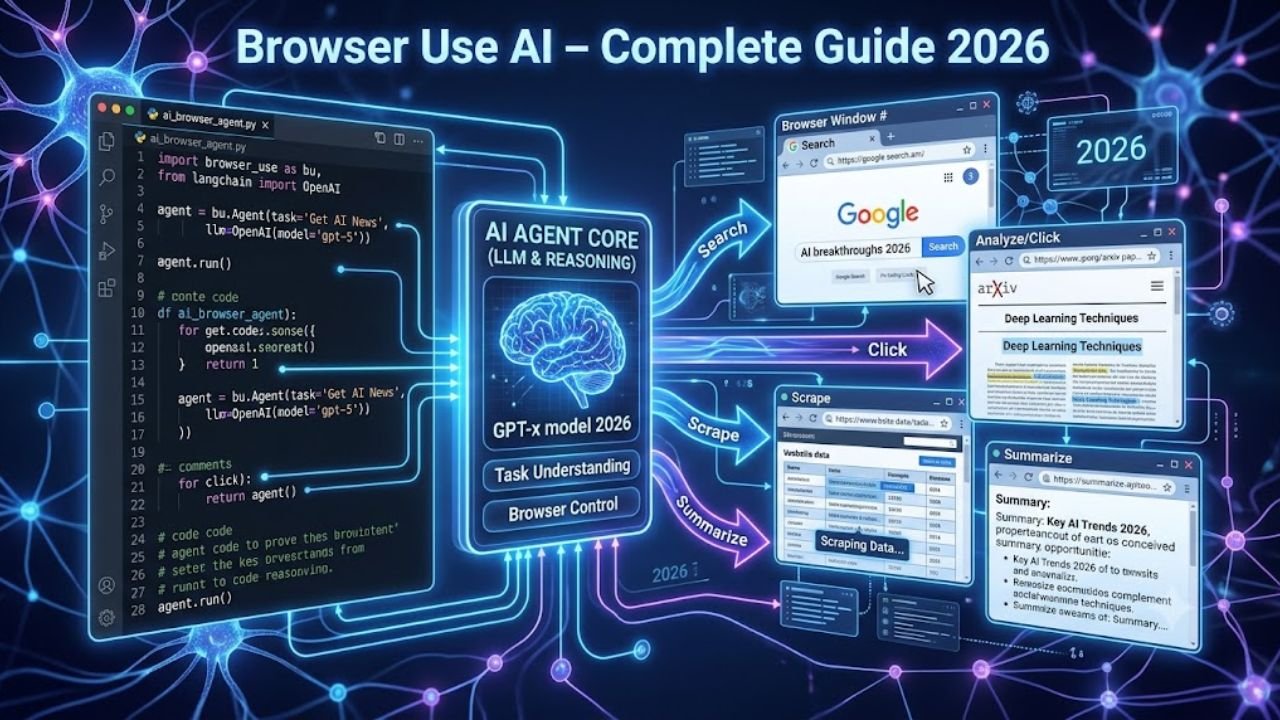
By Browser automation has evolved dramatically over the last few years. Traditional automation frameworks like Selenium and Playwright have helped developers automate repetitive browser tasks, but they still require developers to manually write every click, input, and navigation step. As websites become more dynamic and AI applications become smarter, a new approach to automation is taking over Browser Use AI.
Instead of hardcoding browser actions, it allows developers to instruct an AI agent using natural language. The AI understands your objective, analyzes the webpage, decides what action to take next, and continues working until the task is complete. This makes browser automation more intelligent, adaptable, and significantly easier to build.
Whether you’re creating an AI research assistant, automating repetitive workflows, extracting web data, or building autonomous AI agents, it’s provides a modern framework that bridges the gap between Large Language Models (LLMs) and real-world web interaction.
What Is Browser Use AI?
Browser Use AI is an open-source Python framework that enables AI models such as OpenAI GPT, Claude, Gemini, and other LLMs to control a real web browser. Rather than relying entirely on fixed CSS selectors or XPath expressions, the framework combines browser automation with AI reasoning, allowing the agent to understand webpage content and determine the best action to accomplish a task.
Think of Browser AI as giving an AI assistant hands and eyes. The browser becomes the AI’s hands, allowing it to click, type, scroll, and navigate. The language model becomes its brain, interpreting instructions and making decisions based on what it sees on the screen.
For example, imagine asking an AI:
“Go to GitHub, search for the Browser Use AI repository, open the latest release, and summarize the new features.”
A traditional automation script would require dozens of lines of code to locate each button, search box, and link. With Browser Use AI, the AI agent plans the workflow itself. It opens GitHub, identifies the search field, enters the query, navigates to the repository, finds the latest release, extracts the information, and returns a concise summary all while adapting to the page structure.
This ability to combine reasoning with browser interaction is what makes Browser AI different from conventional browser automation libraries.
Also read about: Artifacting on Screen | AI Regulation 2026 | AI Controlling Humans
Why Browser Automation Needed an AI Upgrade
For years, browser automation has relied on deterministic scripts. Tools like Selenium and Playwright execute exactly what the developer specifies. While these frameworks are reliable for structured tasks, they struggle when websites change.
Consider an online shopping website. If the “Add to Cart” button is renamed to “Buy Now” or moved to another location on the page, a traditional script may fail because it cannot interpret the change. Developers must then update the selectors, test the workflow again, and redeploy the automation.
Now imagine the same scenario with Browser Use AI. Instead of searching for a specific CSS selector, the AI understands the intent of the page. It recognizes that the new “Buy Now” button serves the same purpose and continues the workflow without requiring manual updates.
This adaptability reduces maintenance and makes AI especially useful for dynamic websites where layouts and elements change frequently.
Beyond resilience, AI-powered automation also simplifies development. Developers no longer need to script every interaction. Instead, they define the goal, and the AI determines the steps required to achieve it.
How Browser Use AI Works
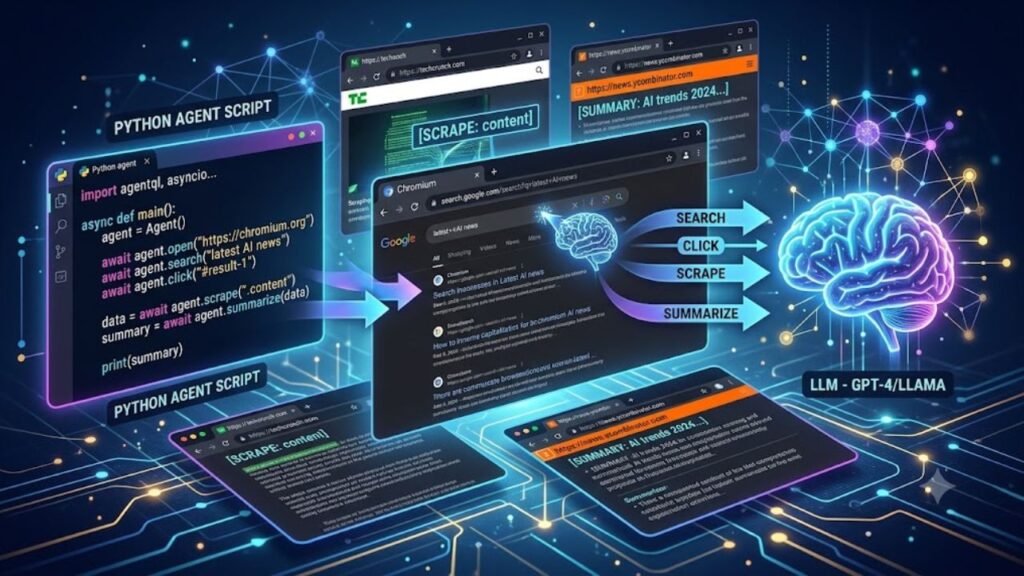
At a high level, Browser Use AI combines three technologies:
- A Large Language Model (LLM)
- A browser automation engine
- An orchestration layer that connects the two
The process begins when a user provides a task in natural language. The AI interprets the instruction, creates a plan, launches a browser, and interacts with the website step by step. After each action, it observes the updated webpage, evaluates whether progress has been made, and decides the next move.
A simplified workflow looks like this:
User Prompt
↓
Large Language Model (LLM)
↓
Browser Use AI
↓
Playwright Browser
↓
Website
↓
Observes Results
↓
Plans Next Action
↺
Repeats Until Task Completion
Unlike traditional automation, this loop continues until the objective is completed or the AI determines that it cannot proceed further.
This continuous observation and reasoning cycle is one of the key strengths of Browser Use AI.
Core Components of Browser Use AI
Understanding the architecture of it helps explain why it is so powerful. The framework consists of several interconnected components, each with a specific role.
1. Large Language Model
The Large Language Model acts as the decision-making engine. It receives the user’s request, interprets the task, and determines what actions should be taken inside the browser.
Popular models supported include:
- OpenAI GPT-4.1 and newer
- Google Gemini
- Anthropic Claude
- DeepSeek
- Other compatible LLMs
Because the reasoning happens inside the LLM, Browser Use AI can adapt to different websites without requiring developers to rewrite automation logic every time a webpage changes.
2. Playwright Browser Engine
While the AI decides what to do, Playwright performs the actual browser interactions.
Playwright enables Browser Use AI to:
- Launch Chromium, Firefox, or WebKit
- Click buttons and links
- Fill forms
- Scroll pages
- Upload documents
- Download files
- Switch tabs
- Capture screenshots
- Handle JavaScript-heavy websites
By building on top of Playwright, Browser Use AI benefits from a fast and reliable browser automation foundation.
3. Observation Layer
After every interaction, Browser Use AI examines the updated webpage. It gathers information about visible elements, page structure, and browser state before deciding the next step.
This observation layer creates a feedback loop that allows the AI to adapt if something unexpected happens.
For example, if a login page suddenly displays a verification prompt, the AI can recognize that the expected page has not loaded and adjust its strategy accordingly.
4. Planning Engine
One of the most impressive capabilities of Browser Use AI is its planning engine.
Instead of treating every click as an isolated event, the AI develops a sequence of actions to achieve the overall objective.
For instance, if the user asks:
“Compare the prices of the iPhone 17 on Amazon, Flipkart, and Best Buy.”
The planning engine may generate a workflow similar to this:
- Open Amazon.
- Search for the product.
- Record the price.
- Open Flipkart.
- Search for the same product.
- Record the price.
- Open Best Buy.
- Compare all prices.
- Generate a summary.
The user only provides the final objective the AI figures out the intermediate steps automatically.
Key Features of Browser Use AI
The popularity of Browser Use AI is driven by its ability to make browser automation smarter and easier to manage. Below are some of its most important features.
Natural Language Instructions
Instead of writing dozens of automation commands, developers can describe tasks in plain English.
For example:
“Log in to my dashboard, download yesterday’s analytics report, and save it to the Downloads folder.”
The AI interprets the request and carries out each step without requiring extensive scripting.
Intelligent Web Navigation
Traditional automation depends on predefined selectors.
Browser Use AI understands the structure and context of webpages, making it more resilient when layouts change.
Multi-Step Workflow Execution
Many browser tasks involve multiple pages and decision points.
Examples include:
- Booking travel
- Researching products
- Comparing prices
- Filling application forms
- Collecting market data
- Managing CRM dashboards
Rather than scripting every interaction manually, Browser Use AI can execute these workflows autonomously.
Dynamic Decision Making
Unexpected events are common on the web.
Pop-ups, redirects, loading delays, and updated page layouts often break traditional scripts.
Because Browser Use AI continuously evaluates the webpage, it can react intelligently instead of immediately failing.
Cross-Website Automation
A single AI agent can move between multiple websites while maintaining context.
For example, it can:
- Search Google
- Open documentation
- Read technical articles
- Compare information
- Summarize findings
- Generate a report
This makes Browser Use AI an excellent choice for AI-powered research assistants and productivity tools.
Read also: Heart Disease Explained | Black Fungus Treatment | Difference Between Heart Attack and Cardiac Arrest
Why Developers Are Choosing Browser Use AI
The rise of AI agents has changed the way developers think about automation. Instead of creating rigid scripts for every possible scenario, they now build systems that can reason, adapt, and solve problems independently.
Browser Use AI aligns perfectly with this shift by combining the flexibility of large language models with the reliability of browser automation.
Some of the biggest reasons developers are adopting Browser Use AI include:
- Faster automation development.
- Reduced maintenance when websites change.
- Natural language task descriptions.
- Better handling of dynamic web applications.
- Seamless integration with modern AI models.
- Open-source ecosystem and active community support.
- Compatibility with existing Python workflows.
For startups, researchers, and automation engineers, Browser Use AI offers a practical way to build intelligent web agents without writing thousands of lines of repetitive automation code.
Browser Use AI vs Selenium vs Playwright vs Puppeteer
Choosing the right browser automation framework depends on your project requirements. While Selenium, Playwright, and Puppeteer remain excellent tools for deterministic automation, Browser Use AI introduces a new paradigm where AI agents can understand goals, make decisions, and adapt to changing web interfaces.
| Feature | Browser Use AI | Selenium | Playwright | Puppeteer |
| AI-Powered Decision Making | ✅ Yes | ❌ No | ❌ No | ❌ No |
| Natural Language Tasks | ✅ Yes | ❌ No | ❌ No | ❌ No |
| Browser Automation | ✅ Yes | ✅ Yes | ✅ Yes | ✅ Yes |
| Dynamic Website Support | ⭐ Excellent | Good | Excellent | Excellent |
| Multi-Step Planning | ✅ Yes | ❌ Manual | ❌ Manual | ❌ Manual |
| Learning Curve | Medium | Medium | Easy | Easy |
| Best For | AI Agents | Legacy Automation | Modern Testing | Chrome Automation |
If your goal is simply to automate repetitive browser actions, Playwright or Selenium may be sufficient. However, if you want an AI agent that can interpret instructions, adapt to page changes, and complete complex workflows autonomously, Browser Use AI offers a more intelligent approach.
Real-World Use Cases of Browser Use AI
One of the biggest strengths of Browser Use AI is its versatility. Because it combines browser automation with AI reasoning, it can handle tasks that would otherwise require extensive scripting.
1. Intelligent Web Research
Researchers and analysts can use Browser Use AI to collect information from multiple websites, compare sources, and generate concise summaries.
Example prompt:
“Research the latest AI browser automation tools and compare their features.”
2. E-commerce Price Monitoring
Businesses can automatically monitor product prices across different online stores.
Example:
- Search Amazon
- Check Flipkart
- Compare Walmart prices
- Generate a price report
3. Lead Generation
Sales teams can automate the process of finding business information, extracting contact details, and organizing data into spreadsheets or CRM systems.
4. Automated Form Filling
Instead of manually completing repetitive forms, Browser Use AI can:
- Fill registration forms
- Submit applications
- Upload documents
- Verify successful submission
5. Software Testing
QA engineers can create AI-powered testing workflows that interact with web applications more naturally, reducing the maintenance burden caused by changing UI elements.
6. AI Personal Assistants
Developers are increasingly using Browser Use AI to build assistants capable of:
- Booking appointments
- Searching travel options
- Reading emails
- Collecting market data
- Managing online dashboards
Performance Tips for Browser Use AI
Although Browser Use AI simplifies browser automation, following best practices can improve speed and reliability.
Use Focused Prompts
Instead of writing long, ambiguous instructions, break complex objectives into smaller tasks.
For example:
❌ “Research everything about AI.”
✅ “Search for the latest Browser Use AI tutorials and summarize the top three.”
Specific prompts help the language model make better decisions.
Limit Unnecessary Browser Actions
Every browser interaction consumes time and API tokens. Avoid opening unnecessary tabs or revisiting pages unless required.
Keep Dependencies Updated
Regularly update:
- Browser Use AI
- Playwright
- Python
- AI SDKs
This helps you benefit from performance improvements and bug fixes.
Enable Logging
Logging browser actions makes debugging much easier. Recording navigation steps, screenshots, and AI decisions helps identify failures quickly.
Test in Headed Mode First
During development, run the browser in headed mode so you can observe each interaction. Once the workflow is stable, switch to headless mode for production deployments.
Limitations of Browser Use AI
Although Browser Use AI is powerful, it’s important to understand its current limitations.
API Costs
Since the framework relies on large language models, every interaction may consume API tokens. Complex workflows can become expensive depending on the chosen model.
Internet Dependency
Most cloud-based language models require an active internet connection. Offline usage is only possible when integrating compatible local models.
Dynamic Content Challenges
Some websites include advanced anti-bot mechanisms, CAPTCHAs, or frequent interface changes that may still require manual intervention.
Hallucinations
Like any LLM-powered application, Browser Use AI can occasionally misunderstand instructions or make incorrect assumptions. Human review remains important for critical workflows.
Security Considerations
Never grant unrestricted access to sensitive accounts or confidential information without implementing appropriate safeguards, permission checks, and monitoring.
Conclusion
As AI continues to reshape software development, browser automation is evolving from rigid, rule-based scripting to intelligent, goal-oriented workflows. Browser Use AI represents this shift by combining the reasoning capabilities of large language models with the reliability of modern browser automation.
Instead of hardcoding every click and selector, developers can define objectives in natural language and let the AI determine the most effective path to completion. This approach reduces maintenance, improves adaptability, and enables the creation of smarter automation systems for research, testing, data extraction, and productivity.
While traditional tools such as Selenium, Playwright, and Puppeteer remain valuable for deterministic automation, Browser Use AI opens the door to a new generation of autonomous browser agents capable of understanding context and responding to changing web environments. Whether you’re a beginner exploring AI automation or an experienced developer building advanced workflows, learning Browser Use AI is a worthwhile investment for the future of intelligent web automation.
Also read: 15 Best AI Tools for Students in 2026 | Pressure Marks on Laptop Screen | Bug in Monitor
Frequently Asked Questions
Q1: What is Browser Use AI?
Browser Use AI is an open-source framework that lets AI models control web browsers and complete tasks using natural-language instructions.
Q2: Is Browser Use AI free to use?
Yes. The framework is open source, but using paid AI models such as OpenAI or Claude may involve API costs.
Q3: Can Browser Use AI replace Selenium?
Not completely. Selenium is ideal for predictable automation, while Browser Use AI is better for AI-driven tasks that require reasoning and adaptability.
Q4: What programming language does Browser Use AI use?
Browser Use AI is primarily built for Python, making it suitable for developers working on AI and browser automation projects.
Q5: Does Browser Use AI work with Playwright?
Yes. Browser Use AI uses Playwright for browser interaction, including clicking, typing, scrolling, navigation, and other web actions.
Q6: Which AI models work with Browser Use AI?
It can work with several LLMs, including OpenAI, Claude, Gemini, DeepSeek, and other compatible models, depending on the setup.
Q7: Can Browser Use AI automate websites?
Yes. It can automate many websites for tasks such as research, form filling, data extraction, testing, and multi-step workflows.
Q8: Is Browser Use AI suitable for beginners?
Yes. Beginners with basic Python knowledge can start with Browser Use AI because tasks can be described using natural-language instructions instead of complex automation scripts.