
 By
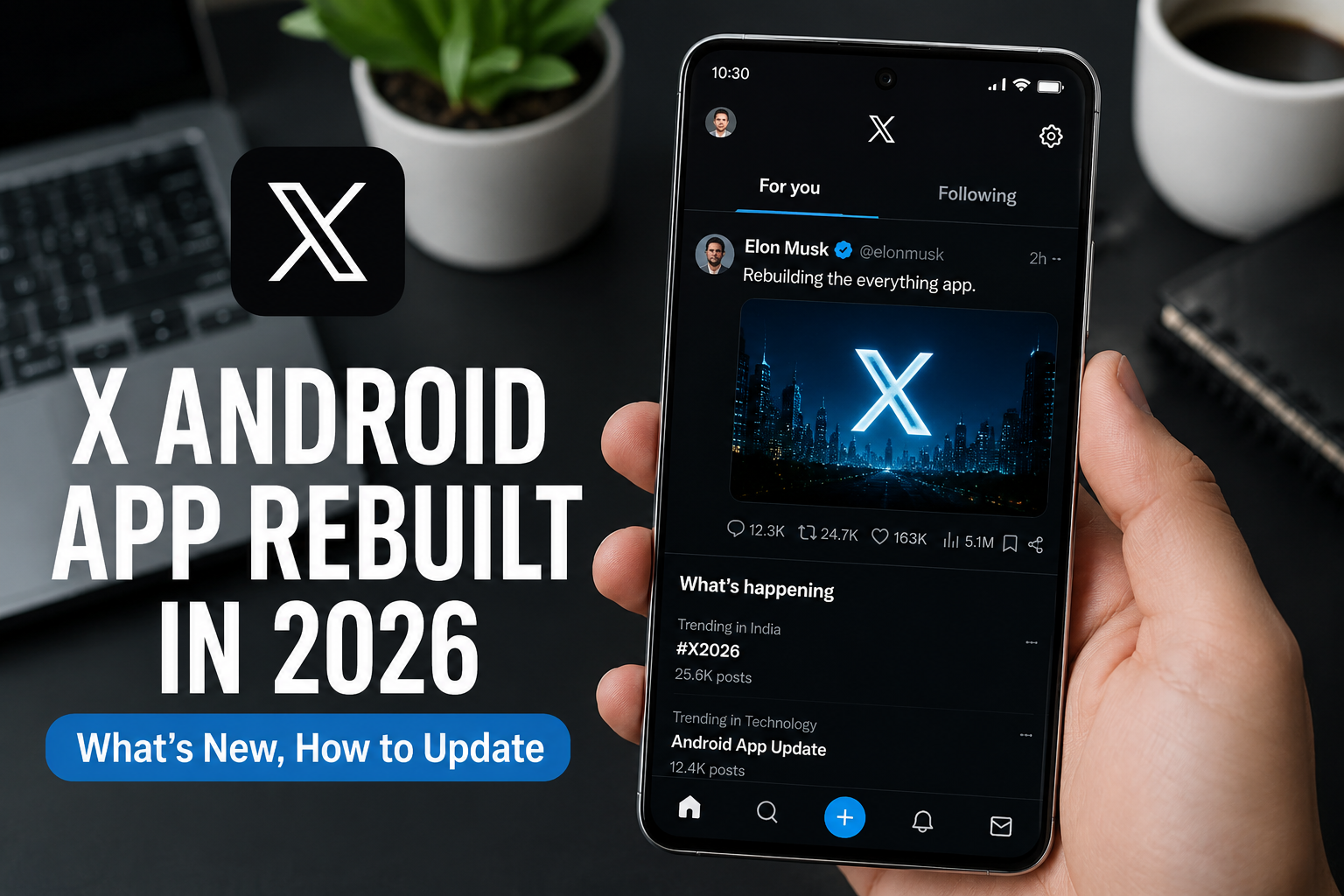
By Elon Musk‘s X has finished a year-long, ground-up rebuild of its Android app and the real headline isn’t just speed. Head of Product Nikita Bier says new features will now reach Android at or close to the same time as iOS, ending the long-standing pattern where Android was the platform left waiting. The rebuilt app is rolling out globally now via the Google Play Store.
If your old X Android app felt slow, crashed often, or failed to load posts, this rebuild is meant to fix that and it changes how X treats Android in its release schedule going forward.
Key Takeaways
- X rebuilt the Android app from scratch, led by a small dedicated Android team (“Android Dream Team”) over nearly a year
- Going forward, new features are expected to ship to Android at or close to the same time as iOS, rather than well after it
- Faster loading, smoother scrolling, more reliable notifications, fewer crashes
- Free update, live now on Google Play Store worldwide
- Cashtags and custom timelines are already live; Spaces hosting and a video editor are still in progress
- Some polish is still coming for older devices
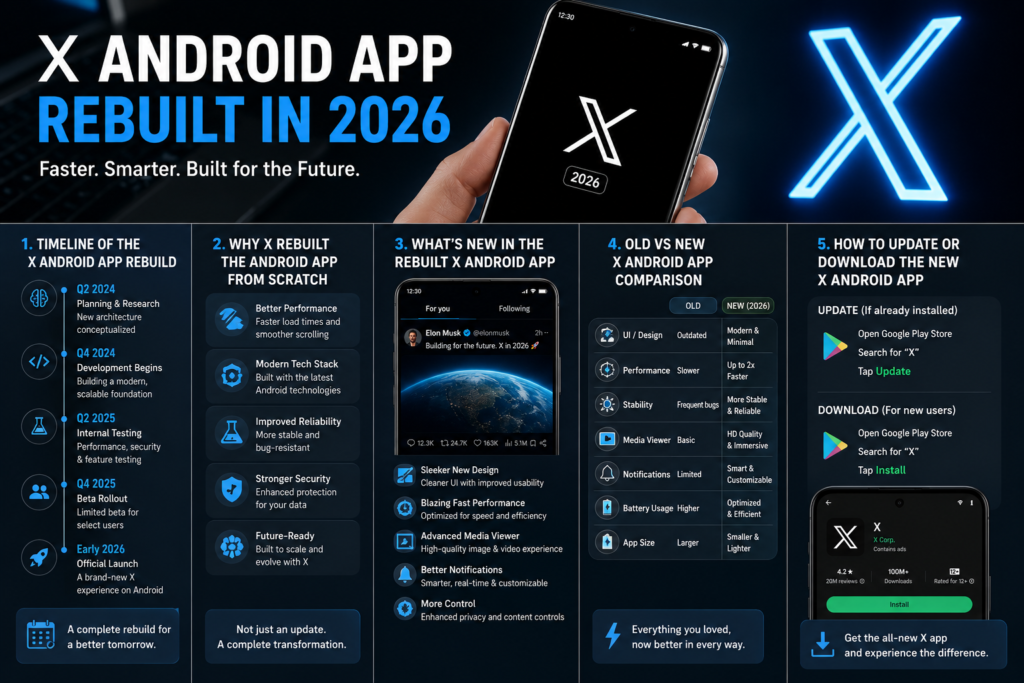
Timeline of the X Android App Rebuild
| Period | Milestone |
| August 2025 | X announces an “Android Dream Team” to rebuild the app, not just patch it |
| 2025–mid 2026 | Year-long engineering effort on a new app foundation |
| July 20–21, 2026 | Global launch of the rebuilt X Android app via Google Play Store |
| Ongoing | Optimization for older devices; Spaces hosting, video editor, more features |
Why X Rebuilt the Android App From Scratch
For years, the X (formerly Twitter) Android experience lagged behind iOS lag, missed notifications, freezes, and posts that wouldn’t open from shared links. That gap mattered at scale: according to
Android holds roughly 69% of global mobile OS share versus about 31% for iOS, and in markets like India, Indonesia, and Brazil, Android’s share often tops 85% of smartphones. A weak Android client was limiting X where most of its users actually are.
Bier called the rewrite “one of the largest engineering projects” in the company’s history, built by a small dedicated Android team rather than through further patches to the legacy codebase.
said the app is “faster, smoother, and more reliable than the old version in every way,” and that the new foundation “will enable us to build new features at lightning speed.”
That’s the real shift: this isn’t a cosmetic refresh, it’s a foundation change that alters how quickly Android gets new X features relative to iOS.
What’s New in the Rebuilt X Android App
The rebuild prioritizes feel and stability over a flashy redesign:
- Faster loading: feeds, profiles, and media open more quickly
- Smoother scrolling: the timeline stays fluid even under heavy use
- More reliable notifications: more consistent delivery, less delay
- Fewer crashes and freezes: a more stable app overall
- Modern foundation: rebuilt from scratch for faster feature shipping
- Closer Android/iOS timing going forward: new capabilities are expected to reach Android at or near the same time as iOS, not well after it
Cashtags and custom timelines are already live on the new build. Spaces hosting, an enhanced video editor, and react-with-video are still being brought fully onto Android. X has been upfront that some rough edges remain, especially on older or lower-end devices, with further performance work in progress.
Old vs New X Android App Comparison
| Aspect | Old X Android App | New Rebuilt X Android App (2026) |
| Architecture | Legacy + incremental patches | Full rewrite from the ground up |
| Loading | Often slow (media, threads) | Noticeably faster |
| Scrolling | Janky under load | Smoother, more consistent |
| Notifications | Delayed or missed | More reliable and timely |
| Stability | Frequent crashes and freezes | Higher reliability |
| Feature timing | Android lagged well behind iOS | Android at or near the same time as iOS |
| How to get it | Existing Play Store app | Free update via Play Store |
How to Update or Download the New X Android App
Existing users: update now
- Open Google Play Store
- Search “X” or open your library/updates
- Tap Update next to X
- Open the app and sign in if asked
New users: install
- Open Google Play Store
- Search X (formerly Twitter)
- Tap Install
- Sign up or log in
The rebuilt version is free and rolling out globally. If you don’t see the update yet, refresh the Play Store or restart your phone. Keep Android and Google Play Services reasonably up to date for the best experience.
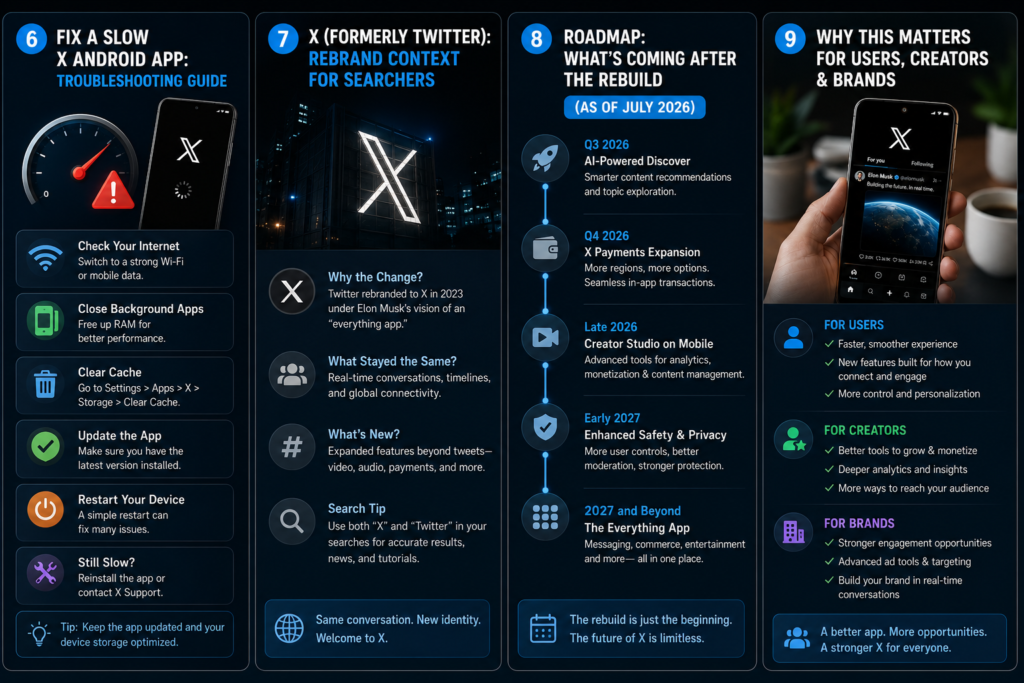
Fix a Slow X Android App: Troubleshooting Guide
Even after a rebuild, some devices need a quick reset.
App still lagging or slow
- Force stop X → clear cache (Settings → Apps → X → Storage)
- Restart the phone
- Check for an Android system update
- Close heavy background apps
- Turn off aggressive battery optimization for X
Posts or media not loading
- Toggle Wi-Fi / mobile data
- Log out and back in
- Uninstall and reinstall the latest build from Play Store
- Confirm you’re on the newest version
Crashes or freezes
- Clear cache (clear data only if needed that requires re-login)
- Free up storage space
- Update Google Play Services
- On very old hardware, expect gradual improvement as X continues optimizing
Most issues resolve with a cache clear plus update; persistent problems on aging devices are expected while polish continues.
X (Formerly Twitter): Rebrand Context for Searchers
Many people still search “Twitter Android app,” “Twitter update,” or “Twitter download.” There’s no separate Twitter Android app anymore the official client is X. The 2026 rebuild is the current X (formerly Twitter) Android experience: same product lineage, new foundation.
Roadmap: What’s Coming After the Rebuild (as of July 2026)
Priority follow-ons X has flagged:
- Better performance on older Android devices
- Full Spaces hosting support on Android
- Video editor and react-with-video
- Continued rollout of the tighter Android/iOS release timing for new features
Because Android is the global majority platform, features landing here now reach far more users, sooner, than an iOS-only release would have in the past. Creators and brands should expect a shorter gap between an X feature announcement and its Android availability going forward.
Why This Matters for Users, Creators & Brands
Everyday users get a less frustrating app: quicker loads, smoother scrolling, notifications that actually arrive. Creators benefit when audiences stay in-app longer and open more alerts especially in Android-heavy markets like India, where X has tens of millions of users and outsized conversation influence relative to its base size. Brands and performance marketers gain from higher session quality and more reliable mobile delivery, with fewer “app is broken” drop-offs as the new build reaches more devices.
In short: fixing Android isn’t only a UX win with roughly 69% global mobile share, it’s a growth and monetization enabler on the platform’s biggest audience segment.
Frequently Asked Questions
Is the new X Android app really faster?
Yes. X says the rebuilt app is faster, smoother, and more reliable across loading, scrolling, and notifications — the stated goal of the year-long rewrite.
How do I get the X app Android update 2026?
Update the existing X app via Google Play Store, or install it fresh. The update is free and rolling out globally.
How do I fix a slow X Android app after updating?
Clear cache, restart the device, confirm you have the latest build, check your network, and relax battery restrictions for X. Reinstall if problems continue.
Is the new X Android app safe? Will it affect my data or privacy?
It’s the official app from X on Google Play. Updating doesn’t require a new account your existing login and data stay with your account under X’s published privacy policy. Only download from the official Play Store listing and review permissions as you would for any major app update.
Does this replace the old Twitter Android app?
Yes. X is the rebranded Twitter, and the rebuilt Android client is the one official app.
Will new features come to Android and iOS at the same time now?
According to Bier, that’s the intent going forward new X features are expected to reach Android at or close to the same time as iOS, rather than well after it, as was often the case in the past.
When will X Money, the video editor, and other features arrive on Android?
Not all dates are public. Cashtags and custom timelines are already live; Spaces hosting, the video editor, and react-with-video are still in progress as of July 2026.
Is X down, or is it just my Android app?
Across Reddit and help sites, a huge chunk of “X Android app not working” threads are actually about platform‑wide outages or API problems, not device bugs. Users repeatedly ask how to tell if the issue is on their phone or X’s servers.
Why is X still slow or laggy after the rebuild on my specific device (Pixel/Samsung/etc.)?
Many conversations focus on device‑specific lag, especially on Google Pixel models and phones that recently received big Android updates. Users complain that even after an X app update, scrolling stutters, the app hangs, or the phone overheats.
Is it better to use X in a browser instead of the Android app?
One recurring theme: when the app is buggy, users ask whether using X through Chrome/Brave/Firefox is more stable or safer than the Android client. Threads recommend the web version as a fallback when the app is broken or resource‑heavy.
Is it safe to install an older X APK or use third‑party download sites to avoid the new update?
Frequently, when a new X update breaks something, users ask whether they can roll back to an older APK from mirror sites, and whether that’s safe. There’s concern about malware and about being stuck on outdated builds.
Why am I still missing or getting delayed X notifications on Android after the rebuild?
Notification issues are one of the most common complaints: people say they don’t get alerts, get them hours late, or only see them when opening the app. This is heavily discussed in Android communities because OEM battery managers kill background apps aggressively.
Final Thoughts & Next Step
X’s rebuilt Android app is a genuine foundation change: a ground-up rewrite by a small dedicated Android team, aimed at faster performance and — just as importantly closer timing between Android and iOS feature releases. With Android at roughly 69% of global mobile OS share, this update reaches the majority of the world’s smartphones, not a niche slice.
The update is free on the
Google Play Store
Update now, try the feed and notifications for a day, and use the troubleshooting steps above if anything still feels off.
Update the X Android app today and share your experience in the comments especially if you’re on a mid-range or older device. Follow for more clear, practical coverage of X product updates, mobile performance, and what they mean for users and marketers.