
 By
By Seeking the top AI phones India 2026? AI phones India 2026 are a good investment if you constantly employ functionality like transcription, translation, image editing or AI search. Nonetheless, take into consideration the cost, subscription charges, software upgrades, and privacy options before making a purchase. Do not spend extra money just for the phrase “AI”.
What Is an AI Phone?
The best AI phones of India in 2026 come with useful AI capabilities together with decent camera quality, good performance, long-term software support, and good privacy options.
Main AI phone features are:
Circle to search
Object deletion and background modification in photos.
Transcription and voice summarization.
Live translation.
AI writing and re-writing messages.
Gemini on Android phones.
Apple Intelligence on compatible iPhones.
Smart call filtering and notification summarization.
All modern phones use machine learning algorithms for image processing, power management, and speech recognition. Therefore, “AI phone” is also a marketing buzzword.
Before buying, ask these five questions:
- Which AI features will you actually use?
- Do they work on the phone or require the cloud?
- Are they free or subscription-based?
- How long will the phone receive security updates?
- What privacy controls does the manufacturer provide?
This guide answers each question below.
Which AI Features Will You Use on AI Phones in India 2026?
The best AI feature depends on how you use your phone. You do not need every AI tool. Choose features that can save you time every week.
| User type | Useful AI features |
| Student | Lecture recording, transcription, summaries and translation |
| Traveller | Live translation, camera search and photo editing |
| Content creator | Object removal, background editing and writing tools |
| Office worker | Meeting notes, email rewriting and document summaries |
| Parent or older user | Call screening, voice assistant and scam-message awareness |
| Basic phone user | AI may not justify paying extra |
For instance, the user can record the class and use transcription technology to develop search-able notes. An individual travelling can use the device for translation through the camera. If an individual uses mostly WhatsApp, YouTube, and telephone calls, then the AI will not add value to them.
Most useful AI features
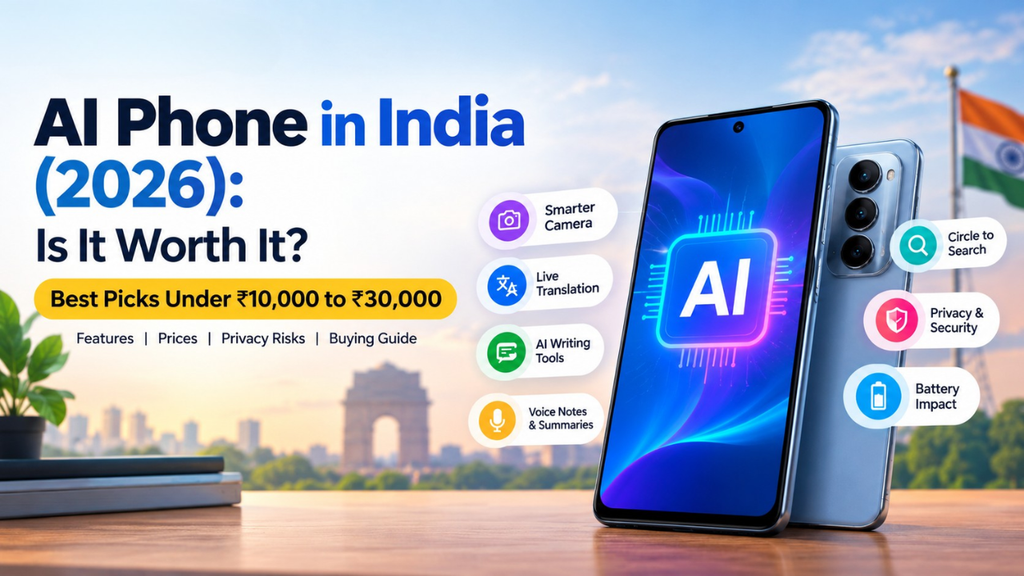
Transcribe: Transcribes lecture, meeting and voice memos to text.
Summary: Summarizes lengthy memos, texts or documents.
Translate: Assists with translating text and speech, and sometimes even calls.
Picture editing: Edits images by cropping or editing lighting.
Circle-to-Search: Allows search for something visible on your screen without mentioning it.
AI Writing: Re-writes messages or changes the tone of a message.
Call screening: Assists with identifying or filtering suspicious calls.
If you are not using any of these features, there is no reason to pay a heavy premium for just the AI branding.
How AI Phone Cameras Work
An AI camera will normally shoot several frames within a short span of time. This information will then be processed by the processor in order to remove noise, enhance details, and achieve better lighting conditions.
Unlike this, generative editing will operate based on entirely different principles. For example, if a certain person or object is removed from the picture, then software will generate what the background could look like and fill that void.
That is precisely why two phones with the same sensors may end up taking different pictures because all depends on the camera software.
AI Phone vs Normal Smartphone
The difference between an AI phone and a normal smartphone is now less clear because AI features are available across many price categories.
| Feature | Normal smartphone | AI-focused smartphone |
| Processor | Mainly uses CPU and GPU | May include a dedicated NPU for AI tasks |
| Camera | Fixed processing modes | Scene-aware processing and generative editing |
| Assistant | Handles basic commands | Understands longer, conversational requests |
| Search | Requires typing or opening an app | Can search from images or screen content |
| Privacy | Depends on app permissions | May offer on-device processing and cloud controls |
| Cost | Usually cheaper | May cost more or include paid AI services |
The neural processing unit (NPU) can assist in the execution of certain AI functions locally. Local processing is better concerning privacy since the data need not leave the smartphone. Not all the AI features can be executed locally, though.
Do AI Phones in India 2026 Use the Cloud?
AI processing can happen in three ways.
On-device processing
The processing is done locally on the device itself. This can decrease the personal data shared with the server of the organization.
For example,
Camera processing to some extent.
Basic voice recognition.
Transcription.
Offline translation.
Some photo editing.
Cloud processing
The phone sends some information to remote servers. This may be required for:
- Advanced conversational AI.
- Large AI models.
- Complex summaries.
- Generative image editing.
- Some advanced translation features.
Hybrid processing
Some processing is done on the phone, and some on the cloud. This occurs when a phone processes simple queries locally but sends complicated queries to the cloud.
This process can differ depending on the phone model, location, software version, language and settings. One should never assume that all AI features of one phone utilize the same process.
Samsung explains the Galaxy AI features that are capable of working on-device and offers controls for cloud processing options that are supported. According to Apple, many Apple Intelligence operations are performed on the device, and complicated requests are processed with the help of Private Cloud Compute. Data sent to Private Cloud Compute is processed for fulfilling the query and does not get stored.support.apple+1
Before using an AI feature, make sure you know:
Which data is sent.
Whether the operation can be conducted without an internet connection.
Whether the information gets stored.
Whether the data gets used for improving the service.
How long the data is stored.
Whether cloud processing can be switched off.
Are AI Phones in India 2026 Features Free?
Not necessarily. In-built basic AI functionalities can be accessed without paying any additional monthly fee, but some high-level cloud-based AI can cost extra either by setting up an account, usage caps, or even a subscription.
There might be some free services that are only provided for a certain time period. An ad on the phone might say “AI Inbuilt” but there are some services that you pay for afterward.
| Feature type | Usually included with the phone? | Possible limitation |
| Basic camera processing | Usually | Built into the camera app |
| Circle to Search | Usually on supported devices | May require internet access |
| Basic transcription | Often | Language or length limits may apply |
| Generative photo editing | Sometimes | May use cloud processing or require an account |
| AI assistant | A free version may exist | Usage limits or paid plans may apply |
| Advanced AI models | Not always | May require a subscription |
Google provides Gemini activity controls that allow users to review, delete and manage their Gemini activity. When Gemini Apps Activity is enabled, prompts along with relevant activities, can be stored to the user’s Google account. Automatic deletion capabilities are offered by Google as well.
Questions to consider before purchasing include:
Is it free forever or just a trial?
Does it need a Google, Samsung, Apple, etc. account?
Can it operate independently of the cloud computing?
Are there any limits to the monthly usage?
Will the subscription be required for extra functions?
Could the company alter the feature or the cost of it in the future?
The safest option for stating AI price would be “free for supported devices” or “requires a subscription”.
How Long Will AI Phones in India 2026 Receive Updates?
Software support is important because AI features and privacy protections depend on regular updates.
A phone may continue working after updates stop, but it may no longer receive important security fixes, bug fixes or new privacy controls. Do not assume that every phone from one brand receives the same support.
Before buying, check:
- The number of Android or iOS version upgrades.
- The number of years of security updates.
- Whether the promise starts from launch or purchase.
- How frequently security patches are released.
- Whether the promise applies to your exact model and region.
| Phone category | What to check |
| Premium flagship | Long operating-system and security support |
| Mid-range phone | Exact update promise and security-patch period |
| Budget phone | Security-update end date |
| Older or discounted phone | Whether support has already started or is close to ending |
Google markets the Pixel 10 Pro with seven years of new functionalities and upgrades. Samsung also markets its premium series as having long-lasting software support, but customers need to confirm the promise for that particular model and region.
One can find it more valuable to buy a less-featured artificial intelligence phone that provides more security support than an inexpensive one with many advertised features.
Can AI Read Bank Passwords?
An AI assistant does not have automatic authorization to read any password, bank app, or message on your mobile device. For Android, it means that the user must allow apps to read the contents of the screen. Gemini also says that Google can read only the apps and data that you allow it to access.samsung+1
This doesn’t mean there isn’t any risk. There are a number of ways you might accidentally reveal your personal data, including:
When you copy an OTP, UPI PIN, password or card number into the AI chatbot.
When you share a screenshot that contains bank details.
If you grant an unknown application accessibility, notification, and screen recording permissions.
When you install an imposter AI, bank, or remote support app.
The scammer sends you an AI-generated message or call that appears to be real.
When you link an assistant to your email, message, file or other sensitive apps without verifying the permissions.
Your unlocked phone is stolen.
When you use unofficial AI websites and apps.
The most significant threat does not come from the AI model itself but from the accompanying app, link, permission or scam designed to trick you.
Never Enter These Details Into AI
Don’t type, upload or dictate any of the following into an AI software tool:
UPI PIN.
ATM or debit-card PIN.
Password for internet-banking.
One-time password or OTP.
CVV.
Card number.
User ID for net-banking.
Recovery codes for account.
Aadhaar or any other document of identification unless it is necessary.
According to Reserve Bank of India, “users are advised not to share their passwords/PIN/OTP/CVV/UIP.” The bank adds that “banks/payment systems do not seek these from their customers.”
Can AI Increase Bank Fraud?
While AI can help craft scamming attempts that appear real, having an AI-enabled phone does not automatically mean that your bank account is compromised.
The possibility becomes greater when scammers use AI in the following ways:
Creating natural phishing texts.
Simulating customer care chats.
Making voice imitations or deepfake calls.
Generating fake screenshots.
Sending personalized texts using info available on the internet.
Generating phishing links for KYC updating, refund, job or delivery purposes.
Scammers can also ask victims to download screen or message sharing applications. According to NPCI, users should never download such applications when asked by strangers. Also, a UPI PIN is needed to make payments, not to receive them.
Example of a common scam
The person says:
“You’ll have your bank account blocked today. Please download our support application and provide the code.”
It is a clear sign that you need to avoid such a request. You shouldn’t install any application or give the code. Just go to the official bank application or site.
What Privacy Controls Do Brands Provide?
Privacy controls are not identical across brands. A phone may allow you to disable Gemini but still keep separate AI tools active in the camera, gallery, recorder or keyboard.
| Brand or platform | Privacy controls to check |
| Samsung | Galaxy AI settings, on-device or cloud-processing choice for supported features, app permissions and Knox security controls |
| Google Pixel | Gemini activity controls, connected-app permissions, assistant settings and data-deletion options |
| Apple | Apple Intelligence toggle, app permissions and Private Cloud Compute information |
| Other Android brands | Assistant settings, app permissions, cloud-processing controls and the privacy policy |
Supported AI features by Samsung are said to give users an option of on-device or cloud processing. Google lets users look through and control their Gemini activity, including deletion or setting automatic deletion. Apple talks about on-device processing and Private Cloud Compute for more complex requests.support.apple+2
What to check before buying
Can cloud computing be disabled?
Can activities performed by AI be erased?
Can the installed apps be uninstalled?
Can microphone, camera, and notifications access be denied?
Is there an option for AI editing of photos separately?
Does the company give details about how long data is stored?
Is the phone getting updated to keep it secure?
Privacy policy of a certain manufacturer states their stance, however, it is not a warranty that all third-party apps will safeguard your data.
How to Use an AI Phone Safely
1. Keep banking separate from AI
Never request any AI assistant to copy any OTP, read your banking page, or make any kind of payment unless you know what the assistant is doing for you.
It will be better if you open your own banking application and enter sensitive details by yourself.
2. Review app permissions
Permission check:
Microphone
Camera
Contacts
Photos/Files
Notifications
Accessibility
Screen Recording
SMS
Location
Delete any permission the app doesn’t need. Be extra careful with Accessibility and Screen Reader Permissions as these may give an app the ability to interact or watch parts of your screen.
3. Install apps only from trusted stores
Avoid APKs sent via WhatsApp, Telegram, SMS, e-mail or social media. CERT-In suggests that users refrain from installing any applications from an unknown sender and download apps from legitimate websites or official app stores.
4. Use phone-security features
Activate the following:
Strong screen lock.
Fingerprint or facial recognition.
Two-factor authentication.Auto-updates.
Google Play Protect or similar security scanner.
Find My Device or Find My iPhone.
SIM lock.
Transaction alerts for banking applications.
Avoid using simple PIN such your birth year or phone number.
5. Avoid public Wi-Fi for banking
Financial transactions should not be carried out through public free Wi-Fi connections as advised by RBI. Banking details should also not be saved in the mobiles, emails or electronic wallets.
6. Verify every payment
Prior to confirming any UPI transaction:
Verify the name of the recipient
Check the amount
Use the UPI PIN only in the UPI PIN screen of the payment application.
Please note that scanning of a QR code is usually intended to make the payment and not receive it.
NPCI advises to verify the name of the recipient and notes that UPI PIN is not necessary .
What to Do After a Fraud
In case you have already made an online transaction or if you suspect your banking information has been compromised:
Contact your bank using its official phone number right away.
Freeze your bank account or block your bank card.
Reset your banking password from a secured location.
Alert your UPI app or bank about the transaction.
Contact India’s cyber-crime helpline on 1930.
File the case at the official cybercrime complaint portal of India.
The government of India states 1930 as the national helpline for reporting online financial frauds.
Don’t delay. Early reporting increases the possibility of tracing the fraudulent transaction.
Best AI Phones in India 2026
The following AI phones in India 2026 are grouped by price so readers can compare features according to their budget.
Best premium AI phones
- Samsung Galaxy S26 Ultra: A comprehensive range of Galaxy AI suite, Gemini compatibility, and software update support over many years. Samsung’s official India website priced the handset at ₹1,54,999 after a price revision in September 2026, but this could differ from actual offers and prices from retailers.
- Google Pixel 10 Pro: High compatibility with Gemini, AI suite for cameras and seven-year update guarantee from Google. The official India price for the handset is ₹1,09,999.
- Samsung Galaxy S26: A more compact flagship smartphone equipped with many Galaxy AI apps. Samsung’s official India price for the 512GB variant of the handset was ₹1,07,999.
Best AI phone under ₹30,000
- Samsung Galaxy M47: Great phone if you are looking at Gemini, Circle to Search, transcription and picture editing as key features. Verify the price of the variant as different prices are available in the official Samsung Store depending on the memory version.
- POCO X7 Pro: Best fit for customers focusing on performance and games.
- Nothing Phone (3a): Helpful if you like managing your notes and screenshots through Essential Space.
- Motorola Edge 70 Fusion: Good choice for someone focused on battery life.
Best AI phone under ₹20,000
- Samsung Galaxy M17 5G: Package of basic AI applications like Circle to Search, Gemini, and transcription.
- Motorola Moto G96 5G: A phone aimed at photography with Moto AI capabilities.
- Realme P3 5G: Helpful for students with features of AI summarization and recordings.
Best AI phone under ₹15,000
- OPPO K13x 5G: Gemini and AI-based photo editing capabilities.
- iQOO Z10x 5G: A good choice if you want to have both gaming capabilities and AI features.
AI phone under ₹10,000
Here, AI is generally an additional feature rather than the primary reason for purchase. Basic functionalities like summarization, translation, and text-based features might be present but not advanced functions or on-device processing.
You can consider low-cost options like the itel A95 5G+ or Lava Virat V1; however, you need to make sure that you know their update policy, RAM, storage, network capabilities, and privacy permissions.
For phones with lower cost considerations, you should focus more on things like good battery life and software updates first. A phone that promotes AI but does not have any security updates may be inferior.
How to Turn AI Off
There is rarely just one button that blocks all AI features.
For Samsung: Go to Settings, find Galaxy AI or the related AI feature and disable the separate tools. Where possible, go for on-device processing instead of cloud-based processing.
For Google Pixel and Android: Go to Gemini settings to control activity, connected applications, and assistant settings. One can also pick another digital assistant where possible.
For iPhone: Go to Settings, select Apple Intelligence & Siri and disable Apple Intelligence.
One must also check individual apps since disabling the primary assistant may not disable the AI editor, transcription or third-party chatbots.
Is an AI Phone Worth Buying?
An AI phone should be purchased if you:
Need to record your lectures and want transcripts right away.
Translate languages often.
Like to take pictures and edit them.
Search for products, places or things using your camera.
Use summaries and writing features on a weekly basis.
If your needs are mostly:
Place calls.
Use WhatsApp.
Watch YouTube.
Navigate social media.
Enjoy some gaming.
Take normal pictures.
Prior to picking from among the best AI smartphones in India 2026, consider the AI functionality, update policy, subscription, and privacy options.
Final Verdict
AI phones are not automatically dangerous and cannot read your minds or know your banking credentials. The dangers are from untrusted apps, overpermissions, malicious URLs, remote access software, and people sharing their sensitive data with AI applications or scammers.
Select an AI phone when free features work for you at least once a week. While selecting, verify:
What kind of features you will be using?
Where those are run? On-device or in the cloud?
If they are free or need a subscription plan?
How many years of security updates the phone will get.
What privacy features the company offers.
Most importantly, do not give out your OTP, UPI PIN, CVV, passwords, and card PIN to any AI application, URL, or even to a person.
Quick answer: Select an AI phone if it makes your life easier with privacy controls that you can understand. You don’t have to pay extra for the word “AI”. Pay for useful features, software, security, and long-term support.
What are AI phones in India 2026?
AI phones in India 2026 are basically smartphones that utilize AI technology for tasks like photo editing, speech recognition, translation, summarization, intelligent searches, and voice assistance.
Are AI phones in India 2026 safe?
They could be considered safe in cases where the user uses trusted applications, checks permissions, makes use of security patches and never shares their OTPs, UPI pin and password with AI apps.
Are AI phones in India 2026 worth buying?
These are good buys if you need transcription, translation, photo editing or search by AI technologies. In case you use mostly calls, WhatsApp and YouTube, perhaps an ordinary phone is a better deal.
Are AI phone features free?
Certain in-built functions are free of cost, but some complex cloud-based functions might need an account or even a subscription.
further readings:
Apple Pay in India: How It Works, Setup, Features, Security, UPI Comparison and FAQs
Who Owns AI? Understanding AI Ownership, Companies, Models, and Control
The Future of AI: Trends, Applications, Jobs, and Opportunities in 2026