
 By
Looking for a better way to communicate with friends, gamers, or online communities? Discord is popular for voice chat, text channels, screen sharing, and community management. However, some users want stronger privacy, more organized discussions, open-source software, or professional collaboration tools.
That is why Discord alternatives are worth exploring. From private messaging applications to self-hosted communication platforms, several tools offer different ways to connect and collaborate.
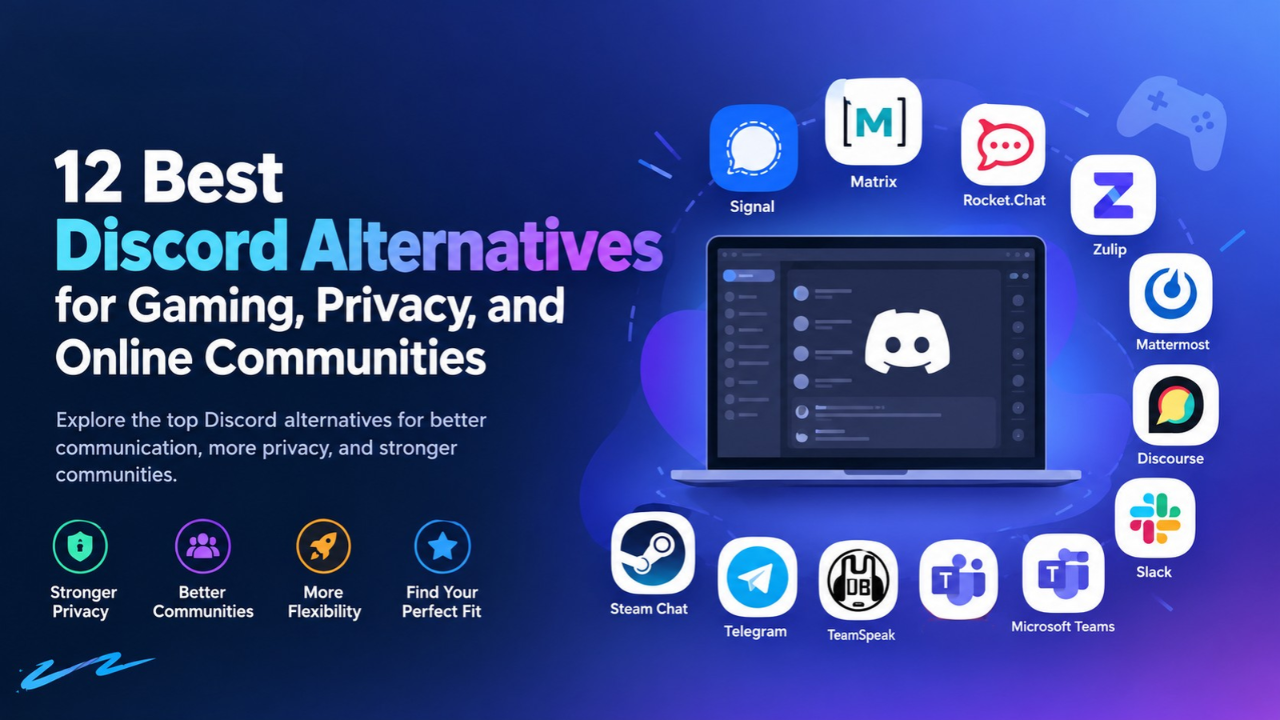
In this guide, TechTodays compares 12 options Discord alternatives, explains their advantages and limitations, and helps you choose the right platform for your requirements.
What Are Discord Alternatives?
Discord alternatives are applications that provide some of the communication features available on Discord, such as group messaging, voice calls, video meetings, file sharing, and community discussions.
However, every platform serves a different purpose. Some focus on privacy, while others prioritize gaming, workplace collaboration, or long-term knowledge sharing. These Discord alternatives offer different ways to manage group conversations, share updates, and build online communities based on your communication needs.
Before choosing among Discord alternatives, identify your primary requirements. A gaming group may need reliable voice chat, while a business may prioritize access controls, integrations, and searchable conversations.
Also read: BMPS 2026 Semi Finals Full Schedule Revealed | GTA 6 Cost | Valorant Esports 2026 | Resident Evil Requiem
Why Are People Looking for Alternatives to Discord?
Exploring Discord alternatives helps users find platforms that better match their privacy expectations, community size, collaboration needs, and budget. There are several reasons users explore other communication platforms.
- Privacy: Some users prefer services with end-to-end encrypted messaging and clearer data-control options.
- Better organization: Topic-based conversations and searchable discussions can help users find information quickly.
- Open-source software: Technical communities may prefer software they can inspect, customize, or self-host.
- Workplace collaboration: Businesses may need integrations with project management, document storage, and productivity tools.
- Cost and flexibility: Different pricing models, hosting options, and user limits can influence the decision.
The best Discord alternatives balance these needs without making communication unnecessarily complicated.
12 Best Discord Alternatives to Consider
1. Signal: Best for Private Messaging
Signal focuses on private communication through end-to-end encrypted messages and calls. Its straightforward interface makes it suitable for friends, small groups, and users who prioritize confidentiality.
Pros: Strong privacy focus, encrypted communication, and an easy-to-use interface.
Cons: Limited public-community organization and fewer advanced moderation features than community-focused platforms.
Signal is one of the strongest Discord alternatives for private conversations, but it is not designed to reproduce every feature of a large community server.
Best for: Private group chats and security-conscious users.
2. Matrix and Element: Best for Open Communities
Matrix is an open communication protocol that supports federation, allowing independently operated servers to communicate. Element is a client that users can use to access Matrix conversations.
Communities can create rooms, organize discussions, and choose their hosting arrangements. Encryption is available, but its use and implementation depend on the room, client, and configuration.
Pros: Open ecosystem, federation, customizable hosting, and organized rooms.
Cons: Setup can be technical, and moderation may require additional administration.
Among open-source Discord alternatives, Matrix and Element are worth considering for communities that value flexibility and infrastructure control.
Best for: Technical communities and users interested in decentralized communication.
3. Rocket.Chat: Best for Customizable Team Communication
Rocket.Chat provides team messaging, collaboration features, integrations, and self-hosting options. It can help organizations manage internal communication within an environment they can configure according to their needs.
Pros: Customization, workplace integrations, and deployment flexibility.
Cons: Some features and support options depend on the selected plan, and self-hosting requires maintenance.
Rocket.Chat is a practical option when organizations want more control over communication infrastructure rather than a platform designed primarily for gaming.
Best for: Businesses and technical teams.
4. Zulip: Best for Organized Discussions
Zulip organizes conversations around topics within channels. This structure helps users follow separate discussions without losing important information in a continuous stream of messages.
It is especially useful for distributed teams, software communities, and people working across different time zones.
Pros: Topic-based discussions, searchable history, and open-source software.
Cons: The threading system requires some adjustment, and its communication style differs from conventional chat applications.
Zulip is among the Discord alternatives worth testing when your main problem is keeping conversations organized.
Best for: Developer communities and teams that need searchable discussions.
5. Mattermost: Best for Technical Workflows
Mattermost focuses on workplace communication, particularly for organizations that need collaboration tools integrated into technical operations.
Its features can support teams coordinating projects, discussing operational issues, and connecting communication with other business systems.
Pros: Technical integrations, team messaging, and organizational administration.
Cons: Licensing and feature availability vary, and smaller communities may not need its full capabilities.
For businesses evaluating Discord alternatives, Mattermost is worth considering when administrative control and technical workflows matter more than casual social interaction.
Best for: IT departments and technical organizations.
6. Discourse: Best for Long-Term Community Discussions
Discourse is a forum platform rather than a direct real-time chat replacement. It organizes information into topics and categories, helping members find answers and revisit older discussions.
This makes it useful for technical support communities, educational groups, and organizations that want a lasting knowledge base.
Pros: Searchable discussions, structured topics, moderation tools, and self-hosting options.
Cons: It does not replace every voice-chat or instant-messaging feature.
Discourse is one of the more useful Discord alternatives for communities that value information retention over constant live conversations.
Best for: Support forums, educational communities, and knowledge sharing.
7. Slack: Best for Workplace Collaboration
Slack provides channels, direct messages, integrations, and tools for coordinating professional work. Businesses can use it to bring conversations from different applications into one workspace.
Pros: Extensive integrations, organized channels, and workplace-focused collaboration.
Cons: Advanced features depend on the subscription, and costs can increase as teams grow.
Slack is a sensible choice for companies that need a structured business communication environment rather than a gaming-oriented community.
Best for: Businesses and remote teams.
8. Microsoft Teams: Best for Microsoft 365 Users
Microsoft Teams combines messaging, meetings, and document collaboration. It is particularly useful for organizations that already depend on Microsoft 365 applications.
Pros: Microsoft 365 integration, meetings, file collaboration, and administrative controls.
Cons: The interface may feel complicated for casual groups, and features depend on licensing.
For organizations already using Microsoft’s productivity tools, Teams may be more convenient than adopting an entirely separate communication system.
Best for: Businesses, educational institutions, and professional teams.
9. TeamSpeak: Best for Multiplayer Gaming
TeamSpeak focuses on voice communication and has a long history among multiplayer gaming communities. Players can use voice channels to coordinate strategies without relying on a broader social platform.
Pros: Voice-focused communication, server administration options, and suitability for organized gaming groups.
Cons: It does not offer the same overall community experience as Discord, and specific features depend on the current client and setup.
For players comparing Discord alternatives, TeamSpeak deserves attention when reliable group voice communication is the main priority.
You can also explore TechTodays’ Forza Horizon 6 gaming guide for more gaming-related content.
Best for: Competitive players and multiplayer gaming groups.
10. Mumble: Best for Lightweight Voice Chat
Mumble is an open-source voice communication application known for low-latency audio and configurable server hosting.
It can suit gaming communities that prefer a focused voice solution and want greater control over their infrastructure.
Pros: Open-source software, low-latency communication, and self-hosting options.
Cons: Communities may need separate tools for announcements, persistent discussions, and broader social features.
Mumble is one of the Discord alternatives to consider if you want a lightweight voice-chat application instead of an all-in-one community platform.
Best for: Gaming groups and users who prefer configurable voice servers.
11. Telegram: Best for Groups and Broadcast Channels
Telegram combines messaging, group conversations, broadcast channels, and bot-based automation. It is useful for communities that distribute announcements or communicate primarily through text.
However, users should understand its privacy model. Ordinary cloud chats and end-to-end encrypted Secret Chats work differently.
Pros: Group messaging, broadcast channels, automation options, and mobile accessibility.
Cons: Its community-management and voice features differ from Discord, and encryption is not enabled by default for every chat type.
Telegram can work well for creators and communities that prioritize announcements, updates, and accessible group messaging.
Best for: Broadcast communities and messaging-focused groups.
12. Steam Chat: Best for Gaming Friends
Steam Chat provides communication features within the Steam ecosystem. It can be convenient for players who already use Steam to manage their gaming library and connect with friends.
Pros: Integration with Steam, convenient friend communication, and gaming-focused functionality.
Cons: It is less suited to broad public communities that require extensive moderation, topic organization, and persistent knowledge resources.
Steam Chat is one of the simpler Discord alternatives for people who mainly want to coordinate gaming sessions with friends.
Best for: Steam users and casual gaming groups.
Read more about: The Future of AI | Graphics Card Repair | Budget PC Build | Getting Files Ready for Installation Stuck
Comparison Table: Which Platform Is Right for You?
| Platform | Best use case | Main advantage | Main limitation |
| Signal | Private messaging | End-to-end encryption | Limited community tools |
| Matrix/Element | Open communities | Federation and flexibility | Technical setup |
| Rocket.Chat | Team communication | Customization | Plan-dependent features |
| Zulip | Organized discussions | Topic-based threads | Learning curve |
| Mattermost | Technical teams | Workflow integrations | Licensing complexity |
| Discourse | Knowledge sharing | Searchable topics | Not primarily real-time chat |
| Slack | Business collaboration | Integrations | Subscription costs |
| Microsoft Teams | Microsoft workplaces | Microsoft 365 integration | Can feel complex |
| TeamSpeak | Multiplayer gaming | Voice-focused experience | Limited broader community tools |
| Mumble | Lightweight voice chat | Open-source and configurable | May need additional tools |
| Telegram | Broadcast communities | Groups and channels | Different privacy model |
| Steam Chat | Gaming friends | Steam integration | Limited general community features |
The right choice depends on your priorities. Privacy-conscious users may prefer Signal, while communities that want structured discussions may find Zulip or Discourse more suitable.
How to Choose the Best Discord Alternative
Selecting the right application requires more than comparing feature lists. Consider the following factors before making your decision.
Identify Your Main Purpose
For gaming, prioritize voice quality, latency, device compatibility, and ease of joining friends. For business communication, consider integrations, access controls, searchable history, and collaboration features.
For public communities, look for moderation tools, permissions, onboarding options, and ways to preserve useful information.
Review Privacy and Security
Do not assume every open-source application offers end-to-end encryption. Check encryption settings, authentication options, data retention, server access, and backup practices before sharing sensitive information.
Self-hosting can provide greater control, but it also makes the organization responsible for updates, security, and infrastructure maintenance.
Compare Pricing and Hosting
Free applications may still require paid hosting, storage, or technical support. Commercial platforms may offer managed infrastructure but charge for advanced features or additional users.
Calculate the expected cost for your entire group rather than choosing based only on a free starting plan.
Test the User Experience
Before switching your whole community, test the application with a small group. Check desktop and mobile performance, notifications, accessibility, voice quality, and how easily members can find important messages.
Testing first helps identify problems before they affect everyone.
Tips for Switching from Discord
A successful migration requires a clear plan, especially if your community already has active members and established routines. Before adopting one of these Discord alternatives, explain the benefits of switching and help community members understand the new platform.
- Explain the reason for switching. Tell members what the new platform improves.
- Create essential channels or rooms. Set up announcements, general discussions, and support areas.
- Check data portability. Do not assume messages, files, roles, and bots can transfer automatically.
- Publish joining instructions. Make onboarding simple for new and existing members.
- Preserve important information. Keep community rules, guides, and FAQs accessible.
- Collect feedback. Review user experience and moderation workload after the move.
The best Discord alternatives should solve a real problem without making participation harder. A gradual transition can help members adapt and reduce confusion.
Conclusion
The right communication platform depends on what you want to achieve. Signal focuses on private messaging, Matrix supports federated communities, Discourse organizes long-term discussions, and TeamSpeak or Mumble may suit gaming groups that prioritize voice chat. Ultimately, the best Discord alternatives are the ones that meet your communication goals while providing the right balance of privacy, usability, and community features. When comparing Discord alternatives, consider privacy, usability, moderation, pricing, and long-term information access instead of choosing solely by popularity. For more practical technology guides, gaming updates, and digital trends, visit TechTodays and explore its latest articles.
Frequently Asked Questions
Q1: What are the best Discord alternatives?
Signal, Matrix, Zulip, Slack, Microsoft Teams, TeamSpeak, and Discourse are useful options, depending on whether you need privacy, gaming voice chat, workplace collaboration, or organized discussions.
Q2: What is the best Discord alternative for gaming?
TeamSpeak and Mumble are worth considering for voice-focused gaming groups. Steam Chat can also work for players who mainly communicate with friends through Steam.
Q3: Is there an open-source Discord alternative?
Yes. Matrix clients such as Element, Mumble, Zulip, and Discourse are examples of open-source options. Their features and hosting requirements differ.
Q4: Which alternatives to Discord are best for privacy?
Signal is designed around end-to-end encrypted communication. Matrix-based applications also support encryption options, depending on the client and configuration.
Q5: Are there free apps like Discord?
Yes. Several applications offer free access or open-source editions. However, hosting, storage, advanced features, and technical support may involve additional costs.
Q6: What is the best Discord alternative for businesses?
Slack and Microsoft Teams are common workplace options. Rocket.Chat and Mattermost may suit organizations that prioritize deployment control and technical workflows.
Q7: Can I move my Discord server to another platform?
Migration depends on the destination application and its available tools. Some information may need to be recreated manually, and transferring messages, roles, bots, and permissions is not always possible.
Q8: How do I choose between different Discord alternatives?
Identify your main purpose, compare essential features, review privacy and moderation, calculate total costs, and test the platform with a small group before switching.