
 By
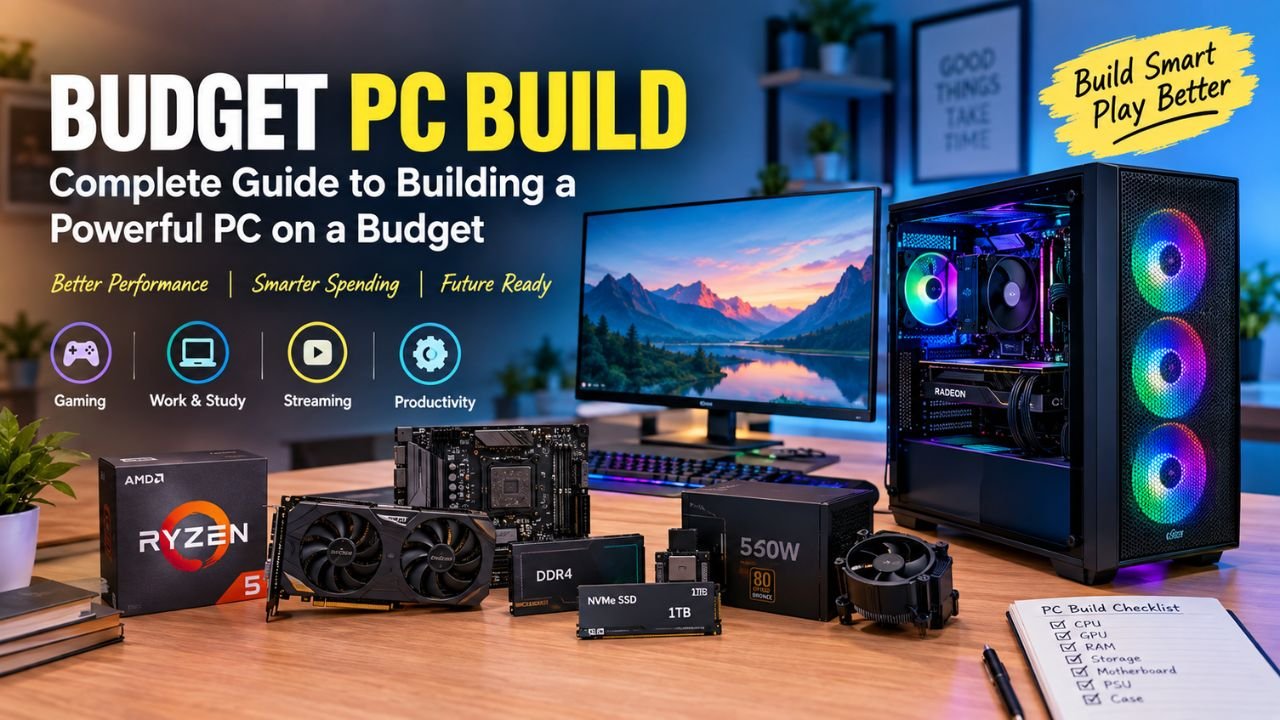
By Building a budget pc build in 2026 is no longer about buying the cheapest parts you can find. It is about spending your money where it actually improves the experience.
A well-planned PC can handle everyday work, study, browsing, entertainment, and even modern games without forcing you to spend a fortune. The trick is balance. A powerful processor paired with a weak graphics card does not make a great gaming machine, just as an expensive GPU sitting inside a poorly ventilated case is not a smart investment.
A Budget PC Build can be customized around your performance needs and available spending limit, or simply comparing recommended computer builds, the right approach starts with understanding what you actually need.
Budget PC Build guide for different budgetswalks through the important components, realistic spending levels, gaming considerations, and common mistakes to avoid before you place your order.
What Makes a Good Budget PC Build?
A budget pc build is designed around a fixed spending limit while delivering the best practical performance for that money. A successful Budget PC Build focuses on performance, reliability, and upgradeability rather than simply choosing the lowest-priced components.
That sounds straightforward, but component selection can quickly become confusing. There are dozens of processors, graphics cards, motherboards, RAM kits, SSDs, and power supplies competing for your attention.
Instead of asking, “What is the cheapest part?” ask, “Where will my next ₹5,000 make the biggest difference?”
For a gaming PC, that answer is often the graphics card. For a productivity machine, more RAM or a better CPU may make more sense.
A sensible budget PC should also have a clear upgrade path. Spending a little more on a dependable power supply, a motherboard with useful expansion options, or a larger SSD can save you money later.
Read more: Dell Display Problem | Why Is My Computer Screen Red Tinted? | Artifacting on Screen
How Much Should You Spend on a Budget PC Build?
There is no magic number for a budget pc build. Your ideal budget depends entirely on the workload.
| Approx. Budget | Best For | General Configuration |
| ₹25,000–₹30,000 | Office work, browsing, study | APU-based PC |
| ₹30,000–₹40,000 | Casual gaming, esports | APU or entry GPU |
| ₹40,000–₹55,000 | 1080p gaming | Dedicated GPU |
| ₹55,000–₹75,000 | Strong 1080p gaming | Mid-range GPU |
| ₹75,000–₹1,00,000 | 1440p gaming | Higher-tier GPU |
| ₹1,00,000+ | High-end gaming/work | Performance-focused build |
These are planning ranges, not fixed prices. Hardware prices change regularly, particularly for graphics cards, memory, and storage. Before starting a Budget PC Build, it is useful to set a maximum spending limit and divide the money between the most important components.
For someone building a PC in India, checking prices immediately before purchasing is particularly important. A discount on one component can sometimes allow you to move up to a significantly better part without increasing your total budget.
Choosing the Right PC Configuration
Your pc configuration should begin with the tasks you expect the machine to perform.
If you mainly browse the internet, work with documents, attend online classes, and stream videos, you do not need a powerful dedicated graphics card.
Gaming changes the equation.
A gaming-focused pc configuration needs a capable GPU, enough RAM, fast storage, and a processor that can keep up with the graphics card.
Here is a practical example of what a mainstream system might look like:
| Component | Target Specification | Importance |
| CPU | Ryzen 5/Core i5 class | High |
| Motherboard | Reliable compatible board | Medium |
| RAM | 16GB dual-channel | High |
| GPU | Entry/mid-range dedicated GPU | Very High |
| Storage | 500GB–1TB NVMe SSD | High |
| PSU | Quality 550W–650W unit | Very High |
| Case | Good airflow | Medium |
The important thing is not to copy the list blindly. Your pc configuration should change depending on current component prices and what you plan to do with the computer.
Understanding Budget PC Build Components
Choosing budget pc components requires looking beyond the sticker price.
The cheapest component is not automatically the best value. A slightly more expensive part may offer better reliability, compatibility, cooling, or upgrade potential.
Processor
The CPU handles general computing tasks and plays an important role in gaming.
For a basic budget pc, an affordable multi-core processor is usually enough. You do not need a flagship CPU for browsing, office applications, streaming, or light editing.
For gaming, however, avoid putting too much of the total budget into the CPU.
Graphics Card
The GPU is one of the most important budget pc components for anyone who plans to play games.
If gaming is your main goal, it generally makes sense to prioritize graphics performance after selecting a suitable CPU platform.
If your budget is extremely tight, an APU with integrated graphics can be a sensible starting point. You can add a dedicated graphics card later.
RAM
For a modern budget pc build, 16GB is a sensible starting point for gaming and multitasking.
Two RAM modules can also be preferable to a single stick because dual-channel memory provides additional memory bandwidth.
This becomes particularly useful when you’re relying on integrated graphics.
Storage
An NVMe SSD makes a noticeable difference in everyday responsiveness. Windows starts faster, applications open quickly, and game loading times are generally much better than with an old mechanical hard drive.
For a budget pc build, 500GB is workable, while 1TB gives you considerably more breathing room.
Power Supply
This is one area where cutting corners can be a bad idea.
The PSU supplies power to every major component, so reliability matters more than saving a few hundred rupees.
Look for a reputable unit with suitable wattage rather than choosing a PSU solely because it advertises a large wattage number.
Motherboard
The motherboard connects everything together.
When selecting one of your budget pc components, check CPU compatibility, RAM support, M.2 slots, expansion slots, USB connectivity, and potential upgrade options.
Budget PC Build for Gaming: Where Should Your Money Go?
A budget gaming computer build should be designed around the resolution and games you actually play.
For most affordable gaming PCs, 1080p remains the sensible target.
You do not need a premium motherboard or a case covered in RGB lighting if that money could instead improve the GPU.
A reasonable allocation can look like this:
| Component | Approx. Share |
| GPU | 30–40% |
| CPU | 15–20% |
| Motherboard | 10–15% |
| RAM | 8–12% |
| SSD | 8–12% |
| PSU | 8–10% |
| Case/Cooling | 5–8% |
These percentages are guidelines rather than rules.
For an APU-based system, the allocation changes because you are using integrated graphics.
A dedicated-GPU budget gaming computer build, on the other hand, should generally put considerably more attention on graphics performance.
Low Budget PC Build: Can You Actually Game on It?
Yes, but expectations matter.
A low budget pc build can be surprisingly capable when the parts are chosen carefully.
At the lower end of the market, an APU-based computer can handle everyday tasks and many lighter games without requiring a separate graphics card.
| Use Case | Low-Budget PC Suitability |
| Web browsing | Excellent |
| Office applications | Excellent |
| Online classes | Excellent |
| Streaming | Excellent |
| Programming | Good |
| Esports games | Good |
| Older games | Good |
| Modern AAA gaming | Limited |
The biggest advantage of a low budget pc build is that it can provide a foundation for future upgrades.
You might start with integrated graphics, 16GB RAM, and an SSD and then add a dedicated GPU when your budget allows.
That is often smarter than trying to squeeze every component into the initial purchase.
Good Budget Prebuilt PC or DIY?
Building your own computer gives you complete control over the hardware, but not everyone wants to spend an afternoon installing components and troubleshooting compatibility issues.
A good budget prebuilt pc can be a perfectly reasonable alternative.
The key is knowing what you are buying.
Do not simply look at the CPU model and assume the entire system is good. Check the RAM configuration, SSD capacity, GPU model, motherboard, PSU, and cooling solution.
| Factor | DIY PC | Prebuilt PC |
| Customization | Excellent | Limited |
| Assembly | Required | None |
| Component control | Full | Depends on seller |
| Convenience | Moderate | Excellent |
| Upgrade potential | Usually strong | Varies |
| Warranty | Component/system dependent | Usually system-based |
A good budget prebuilt pc is particularly attractive for someone who values convenience or does not want to deal with assembly.
However, compare the actual components rather than judging a prebuilt by its marketing headline.
Recommended Budget PC Build Options for Different Users
Rather than looking for one universal answer, consider these recommended computer builds.
Entry Productivity PC
This is ideal for students, office workers, and everyday users.
| Component | Suggested Target |
| CPU | Entry-level modern CPU/APU |
| RAM | 16GB |
| Storage | 500GB NVMe |
| GPU | Integrated |
| PSU | Quality 450W–550W |
Entry Gaming PC
This setup targets esports and casual gaming.
| Component | Suggested Target |
| CPU | Ryzen 5/Core i3–i5 class |
| RAM | 16GB dual-channel |
| Storage | 500GB–1TB NVMe |
| GPU | Entry-level dedicated GPU |
| PSU | Quality 550W |
Mainstream Gaming PC
For stronger 1080p gaming:
| Component | Suggested Target |
| CPU | Ryzen 5/Core i5 class |
| RAM | 16GB–32GB |
| Storage | 1TB NVMe |
| GPU | Mid-range GPU |
| PSU | Quality 650W |
These recommended computer builds are starting points. The final selection should always depend on current prices and availability.
Use a Computer Budget Builder Before Buying
A computer budget builder can make the planning stage much easier, especially if you have never assembled a PC before.
Start by entering your maximum budget. Then distribute it among the CPU, GPU, motherboard, RAM, storage, PSU, and case.
A good computer budget builder should also help identify compatibility issues.
Before buying, check:
- CPU socket and motherboard compatibility
- RAM generation and supported speeds
- PSU wattage
- GPU length
- CPU cooler clearance
- M.2 slot availability
- Case dimensions
- Motherboard BIOS support
Using a computer budget builder does not replace research, but it can prevent some of the most common beginner mistakes.
Gaming PC Build YouTube Video SEO Optimization India
PC-building content is also a strong topic for creators targeting Indian audiences. If you publish hardware videos, gaming pc build youtube video seo optimization india should focus on actual search intent rather than simply repeating keywords.
For example, instead of a generic title like:
“My New Gaming PC”
you could target:
“Best Budget PC Build Under ₹50,000 in India | 1080p Gaming PC”
A good gaming pc build youtube video seo optimization india strategy can include:
- Keyword-focused video title
- Clear description
- Relevant chapters
- Natural keyword mentions
- Attractive thumbnail
- Hardware specifications
- Performance benchmarks
- Price information
- Internal links to related videos
Search phrases such as “PC build under ₹50,000,” “gaming PC under ₹40,000,” and “best GPU for budget PC” can reveal specific content opportunities.
For creators, gaming pc build youtube video seo optimization india should ultimately be about answering a real question better than competing videos.
Common Mistakes to Avoid
A budget pc build can become unnecessarily expensive if you make the wrong compromises.
- Buying the Cheapest PSU: Saving money here can create reliability problems later. Treat the power supply as a core component, not an afterthought.
- Spending Too Much on RGB: RGB can look great, but it does not increase FPS. If your budget is limited, spend that money on performance first.
- Using Only 8GB RAM: Modern applications and games can be demanding. Starting with 16GB provides considerably more breathing room.
- Overspending on the CPU: A high-end processor is unnecessary for many affordable gaming systems.
- Ignoring Airflow: A cheap case with poor ventilation can result in higher temperatures and louder fans.
- Forgetting Upgradeability: Before buying your budget PC components, think about what you might upgrade two or three years from now.
- Not Checking Compatibility: Every part needs to work together. A beautiful parts list is useless if the CPU does not work with the motherboard or the GPU does not physically fit inside the case.
How to Get More Performance for Your Money
The best budget pc build is not necessarily the cheapest machine you can assemble.
It is the one that gives you the right performance without wasting money on features you do not need.
A few simple rules can make a big difference:
- Compare prices across multiple sellers.
- Watch for seasonal discounts.
- Prioritize the GPU for gaming.
- Choose 16GB RAM as a practical starting point.
- Use an NVMe SSD.
- Buy a reliable PSU.
- Avoid unnecessary premium aesthetics.
- Leave room for future upgrades.
- Compare DIY systems with prebuilts.
- Check compatibility before ordering.
If you are building a budget pc in India, also keep an eye on changing hardware prices. Sometimes spending ₹2,000–₹3,000 more on one component can dramatically improve the overall balance of the machine.
Final Thoughts
A successful budget pc build comes down to balance, not simply buying cheap hardware. Start by deciding what you want the PC to do. If it is mainly for work and study, an APU-based system can be more than enough. If gaming is the priority, put more of the budget toward the graphics card.
For a low budget pc build, upgradeability can be just as important as initial performance. For buyers who want convenience, a good budget prebuilt pc may be worth considering. The same principle applies to your pc configuration and budget pc components: every part should have a purpose.
Do your research, compare current prices, check compatibility, and avoid spending money simply because a component looks impressive on paper. That is how you get the most from a budget pc build without turning your PC purchase into an unnecessarily expensive project.
Read more about: What is Manus AI? | EU AI Act 2026 | Context7 AI | Perplexity Comet
Frequently Asked Questions
Q1: What is the best budget pc build for gaming?
A good budget pc build for gaming should prioritize a capable GPU, 16GB RAM, an SSD, and a reliable PSU while keeping the CPU balanced with the graphics card.
Q2: Is 16GB RAM enough for a budget gaming PC?
Yes. 16GB is a practical starting point for most modern gaming and everyday tasks.
Q3: Can I build a gaming PC under ₹30,000?
Yes, but a low budget pc build at this price will usually rely on integrated graphics or an entry-level GPU and is better suited to esports and lighter games.
Q4: Is a prebuilt PC better than building one?
Not necessarily. A good budget prebuilt pc offers convenience, while a DIY build gives you greater control over component selection.
Q5: Which component matters most for gaming?
For most gaming-focused systems, the GPU has the biggest direct impact on graphical performance, provided the CPU is sufficiently capable.
Q6: How much SSD storage do I need?
500GB is enough for a basic system, but 1TB is a better choice if you plan to install several large games.
Q7: Should I buy an expensive motherboard?
Usually not. Choose a motherboard that provides the features, compatibility, and upgrade options you actually need.
Q8: Is building a PC cheaper than buying a prebuilt?
It can be, particularly when you shop carefully and choose every component yourself. However, a competitive prebuilt can sometimes offer good value, so compare the complete specifications before deciding.



1 Comment