
 By
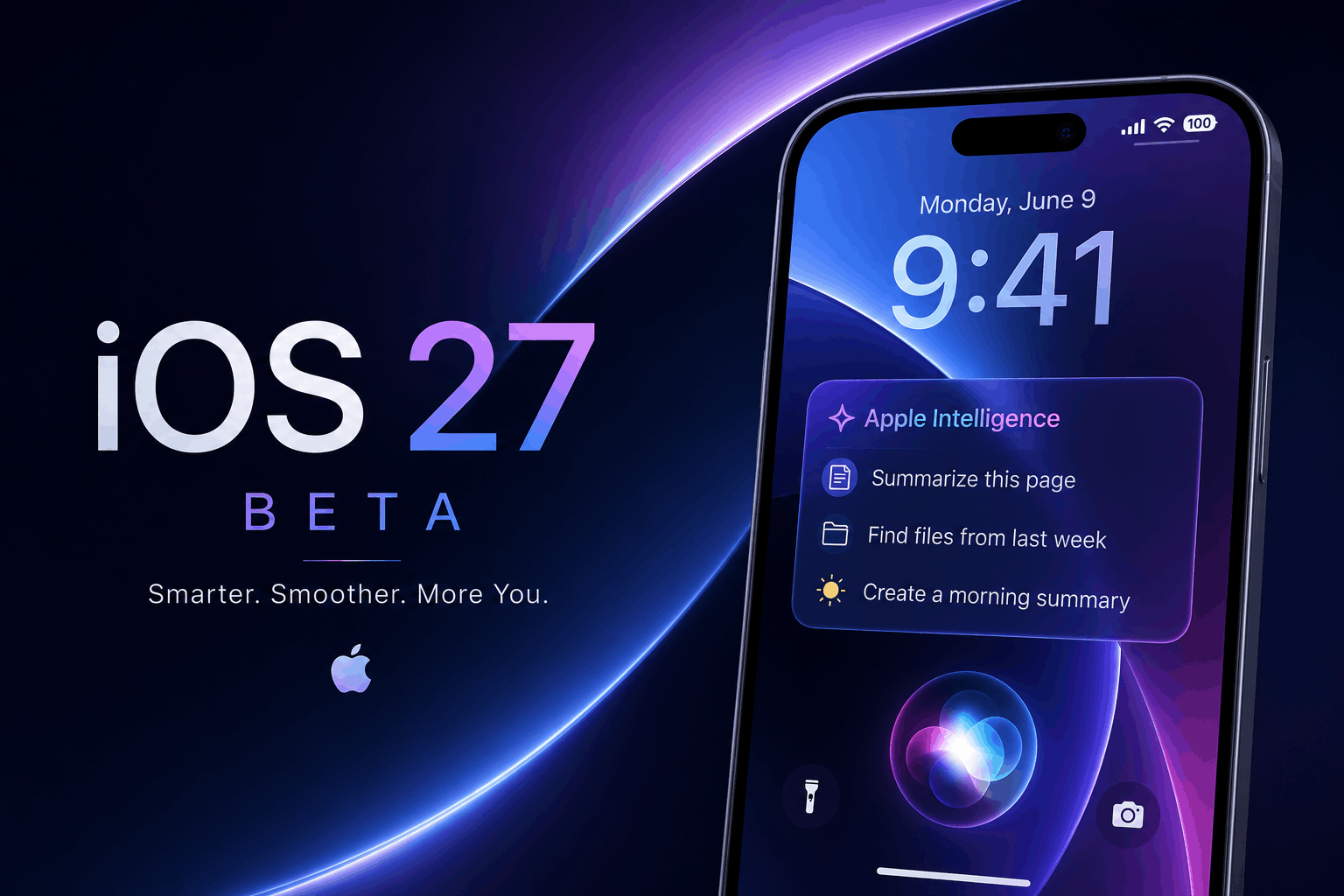
By Apple announced the launch of iOS 27 at WWDC 2026, taking place June 8, 2026 I. The developer’s beta has been released. With a redesigned Siri, enhanced Apple Intelligence, and improved functionality, this appears to be one of the more advanced updates we have seen from Apple. Whether you are a developer who has access to the beta or a consumer who has to wait for the public release, this document provides the pertinent information you need.
Quick Answer: iOS 27 Beta Summary
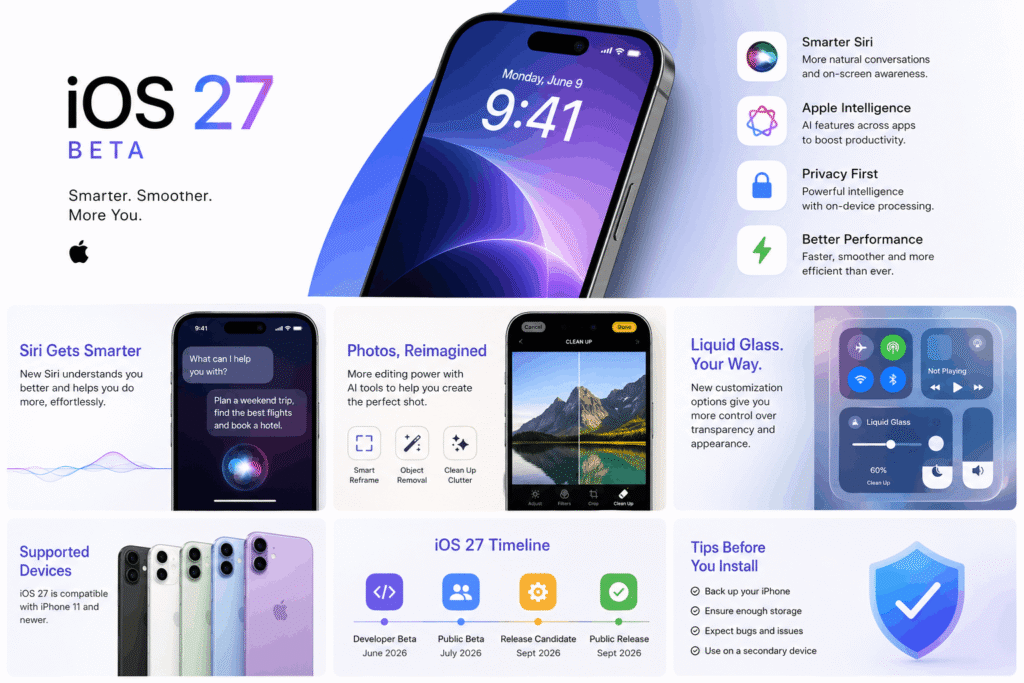
Developer Beta: Currently Available (released June 8, 2026)
Public Beta: Anticipated July 2026
Complete Version: Expected September 2026 (~September 14)
Device Compatibility: iPhone 11 onwards (~34 models)
Major Feature: Siri AI — Reconstructed, ChatGPT-inspired Siri with standalone application
iOS 27 Beta Release Date: What You Need to Know
The iOS 27 release date is set according to Apple’s more or less certain annual schedule in relation to the WWDC and the autumn iPhone launch. Here is what is confirmed and expected:
| Phase | Date | Who Can Install |
| Developer Beta 1 | June 8, 2026 (Live) | Apple Developer Program members |
| Public Beta | July 2026 (Expected) | Anyone via beta.apple.com |
| Release Candidate | Late August 2026 | Developers & public beta testers |
| Full Public Release | ~September 14, 2026 | All compatible iPhone users |
Apple usually have their end of year iOS update released a week after its big annual iPhone Launch Event. Based on the previous five years of iOS updates, the most likely date that iOS 27 will be available to the public is September 14, 2026. This is still not official from Apple.
Top iOS 27 Features: What Is Actually New?
iOS 27 builds on the Liquid Glass interface first introduced in iOS 26, adding a number of headline features leveraging Apple Intelligence. Below are the primary features of iOS 27:
1. Siri AI — Apple’s Biggest Overhaul Since Siri’s Launch
The marquee feature of iOS 27 is Siri AI. Back-and-forth conversations are now a feature of Siri AI. Siri AI is now capable of:
- Sustaining conversations like chatbots.
- Completing tasks by referencing content from documents, apps, or anything else on your screen.
- Responding to questions by drawing from your calendar, messages, or emails.
- Being opened from a new ‘Search or Ask’ interface in the Dynamic Island.
The capabilities of Siri AI exceed those of the previous iOS systems, as Siri AI is now supported by the models that are the foundation of the next generation of Apple products, in addition to Gemini AI, which is supported by Google. Expressive voices and speech to text for dictation that is more advanced are available exclusively to the iPhone Air, iPhone 17 Pro, and iPhone 17 Pro Max.
2. Apple Intelligence Expanded Across Core Apps
Deep diving into Apple Intelligence and iOS 27 shows several AI integrations aimed at improving already existing features in Safari, Photos, Messages, Mail, Calendar, Home and Shortcuts. There are many features that offer better suggestions for replies, as well as features that describe things in brief and deal with context through automation when using Shortcuts.
3. Performance Improvements — Faster Than Ever
iOS 27 benefits all supported devices, irrespective of the model, in terms of performance:
- Applications will launch 30% faster than on iOS 26.
- AirDrop files will transfer 80% faster.
- Network transitions will be even smoother.
- The search index will be improved and scanned on-device search will be faster and more efficient.
With the upgrades that iOS 26 had, this makes the upgrades of iOS 27 worth it, especially for older devices.
4. Safari Smart Tab Grouping
Safari has introduced an Apple Intelligence-integrated feature that organizes tabs. This tool groups tabs into topic-based clusters. It includes a ‘Notify Me’ feature that sends alerts when tabs are updated. This feature helps users monitor news, product updates, and sports.
5. Redesigned Parental Controls and Screen Time
iOS 27 brings a significant redesign to Screen Time. Features include more detailed controls for parents, clearer usage categorization, and advanced scheduling features. Additionally, age-based content filters for children have been implemented that adjust as the child grows.
6. Photos, Camera, and Wallet Upgrades
With the Photos app, users can now recompose shots after the fact, using a tool called Spatial Reframing, as well as extend images and use an upgraded Clean Up tool. The Camera app gets expanded control features, and the Wallet app allows users to create a Pass, meaning any physical ticket or loyalty card can be scanned and stored digitally.
Which iPhone Will Get iOS 27?
Apple has stated that iOS 27 will support the same iPhone models as iOS 26. For users with older ticket hardware, there is no device drop this cycle, which is even better. The comprehensive list includes around 34 different models, ranging from the iPhone 11 (which debuted in 2019) to the forthcoming iPhone 18 models.
Full Compatible iPhone List
| iPhone Series | Models Supported |
| iPhone 17 Series | iPhone 17 Pro Max, 17 Pro, iPhone Air, iPhone 17, iPhone 17e |
| iPhone 16 Series | iPhone 16 Pro Max, 16 Pro, 16 Plus, 16, 16e |
| iPhone 15 Series | iPhone 15 Pro Max, 15 Pro, 15 Plus, 15 |
| iPhone 14 Series | iPhone 14 Pro Max, 14 Pro, 14 Plus, 14 |
| iPhone 13 Series | iPhone 13 Pro Max, 13 Pro, 13, 13 mini |
| iPhone 12 Series | iPhone 12 Pro Max, 12 Pro, 12, 12 mini |
| iPhone 11 Series | iPhone 11 Pro Max, 11 Pro, 11 |
| iPhone SE | iPhone SE (2nd & 3rd generation) |
| iPhone 18 Series | Will launch with iOS 27 pre-installed (Fall 2026) |
Please note the following: the iPhone XS, XS Max, and XR models are unable to upgrade to the iOS 27 system. Phones that did not receive the iOS 26 upgrade will also not support the iOS 27 upgrade.
Siri AI Compatibility: Not All iPhones Are Equal
Apple Intelligence Feature Tiers in iOS 27
Tier 1 — Full iOS 27 (no AI): iPhone 11 through iPhone 14 Plus
Tier 2 — Apple Intelligence + Siri AI: iPhone 15 Pro, 15 Pro Max, iPhone 16 series and newer
Tier 3 — Advanced Siri AI (expressive voices, on-device AI): iPhone Air, iPhone 17 Pro, iPhone 17 Pro Max only
How to Install the iOS 27 Beta Right Now
Option 1: Developer Beta (Available Now — June 2026)
To install the iOS 27 developer beta, you need a free Apple Developer account:
- Go to developer.apple.com and sign in or create a free account.
- On your iPhone, open Settings > General > Software Update > Beta Updates
- Select ‘iOS 27 Developer Beta’ and tap Download and Install
- Back up your iPhone to iCloud or Mac before installing.
Option 2: Public Beta (July 2026)
Apple’s public beta programme opens each year in July and is free for anyone with an Apple ID:
- Visit beta.apple.com and enrol your Apple ID.
- On your iPhone, go to Settings > General > Software Update > Beta Updates.
- Select ‘iOS 27 Public Beta 1’ once it appears.
⚠️ Beta Warning
Beta software contains bugs. Do not install on a primary device you rely on for work. Always back up your iPhone before installing any beta release.
Should You Install the iOS 27 Beta? Pros and Cons
| Reasons to Install Now | Reasons to Wait |
| Try Siri AI and Apple Intelligence early | Early betas often have battery drain bugs |
| Test app compatibility before full rollout | Some features shown at WWDC are not in Beta 1 |
| Provide feedback that shapes the final release | Business or daily-use devices may face stability issues |
| Stay ahead with developer tools and new APIs | Public beta in July is more stable for general users |
Our Team’s recommendation: access the iOS 27 Beta version today if you are a developer or a tech enthusiast. Otherwise, we recommend the casual beta user wait until the public beta in July or stable version release in September 2026 .
iOS 27 vs iOS 26: Key Differences
| Category | iOS 26 | iOS 27 |
| Design | Introduced Liquid Glass UI | Refines Liquid Glass — no full redesign |
| Siri | Basic AI responses, Apple Intelligence | Full Siri AI app, ChatGPT-like conversations |
| App Launch Speed | Baseline | Up to 30% faster |
| AirDrop Speed | Standard | Up to 80% faster |
| Compatibility | iPhone 11 and later | iPhone 11 and later (no cuts) |
| AI Model | Apple Foundation Models | Apple Foundation Models + Google Gemini |
Conclusion: Is iOS 27 Worth the Hype?
There are many things Apple is excited about in iOS 27, one in particular being Artificial Intelligence. iOS 27 beta illustrates for us a totally new thing Apple is doing. With a fully built from the ground up Siri, complete with her own app, real texting features, and real conversational ability, we see real progress here with added real system features. Built within are another 30% faster launch times for apps, a more intelligent Safari and modernized parental controls. All of these make a very valuable upgrade.
Public beta is in July, with the developer version available now. iOS 27 will be available to the public iPhone users from 2019 and newer in September 2026.
What you should see from the upgrade is many better features, speed and the ability to do more with your existing hardware without the need for new devices. Definitely not a visual overhaul to the iPhone like iOS 26 was.
The upcoming iPhone lineup is expected to launch alongside iOS 27, and you can explore all the latest rumors and specifications in our detailed Apple iPhone 18 Pro guide.
Frequently Asked Questions (FAQ)
1. When is the iOS 27 release date?
The expected full public launch of iOS 27 is in September 2026, likely to coincide with September 14. Currently, the developer beta is available (June 2026), with the public beta expected to release in July 2026.
2. Which iPhones Support iOS 27??
Supported by iOS 27 are iPhones 11 and newer (inclusive of iPhone SE 2nd and 3rd generations). This includes around 34 models of the iPhone. iOS 26 does not drop any devices. The forthcoming iPhone 18 series will ship with iOS 27.
3. What are the biggest iOS 27 features?
The major additions to iOS 27 will include: a ChatGPT-based Siri with a separate app, more Apple Intelligence with core apps, performance boosts (30% faster app launches, 80% faster AirDrop), Smart Tab Grouping in Safari, improved parental controls, and new features for Photos, Camera, and Wallet.
4. Do I need a new iPhone to use iOS 27 features?
No, not with iOS 27. Siri AI and Apple Intelligence require an iPhone 15 Pro and newer. The most advanced on-device AI features (expressive voices and advanced dictation) are available with the iPhone Air, iPhone 17 Pro, and iPhone 17 Pro Max.
5. Is the iOS 27 beta safe to install?
Developer and public betas are operational, but they likely include flawed elements, cause battery drainage and lead to app discrepancies. It is unwise to use iOS Betas on your primary device or work device. Be sure to back up your iPhone before installing Betas. The safest choice is to wait for the stable release in September 2026.
Further Reading
- Apple iOS Overview: https://www.apple.com/ios/
- Apple Intelligence: https://www.apple.com/apple-intelligence/
- Apple Developer Program: https://developer.apple.com/
- Apple Beta Software Program: https://beta.apple.com/
- WWDC Updates: https://developer.apple.com/wwdc/
- Apple Support Documentation: https://support.apple.com/
- The Verge Apple Coverage: https://www.theverge.com/apple
- Techtodays: https://techtodays.net/category/technology/



1 Comment